Summary
Guarantor functionality applies to Guarantor/Ward or Parent/Child relationships for those libraries that require a parent or legal guardian to be flagged patron records created for children.
Overview
The functionality provided by the Guarantor/Ward feature:
- Includes the ability to ensure that any correspondence is sent to the guarantor
- If the residential address is the same for all related family members, and those details are changed on the guarantor record, the address is automatically changed on the related ward patron records
- Enables navigation from guarantor to ward records and visa versa.
The functionality is useful for educational and public library systems.
Guarantors may have one or more Wards linked to their record but Wards can only have one Guarantor record linked to theirs. Wards can share the guarantor’s checkout limits and can checkout only up to the limit that applies to the Guarantor as indicated by their PLC or can have their own checkout limits applied depending on the library’s policy. A parameter setting determines whether the Ward is automatically removed from a guarantor’s record once the age limit setting is reached.
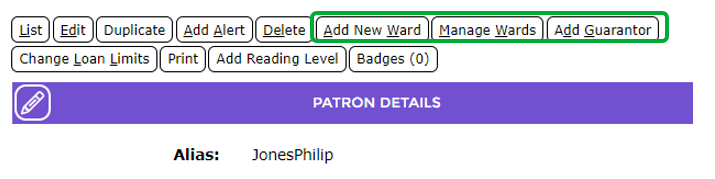
The adding of new or existing Wards to a Guarantor, management of Wards and adding an existing patron as a Guarantor, to a patron who is not yet an adult, are functions all available via the patron Detail screen if the Enable Guarantor and Ward parameter is turned on (see the Relevant Parameters section).
Related Parameters
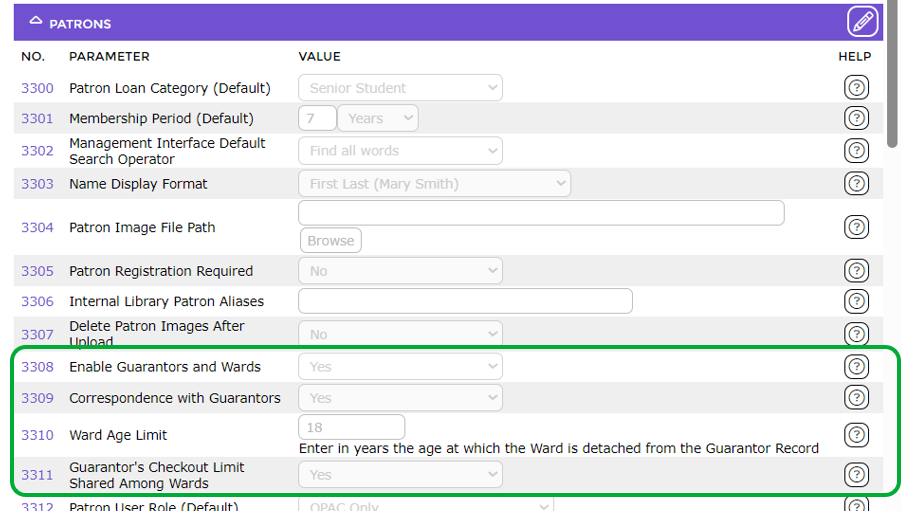
The related parameters are accessed via Management > Parameters > Circulation > Patrons. The parameters are:
Parameter No. 3308 – Enable Guarantors and Wards
Parameter No. 3309 – Correspondence with Guarantors
Parameter No. 3310 – Ward Age Limit
Parameter No. 3311 – Guarantor’s Checkout Limit Shared Among Wards
For assistance with how to complete the parameters click on the Question Mark icon corresponding to each parameter as required.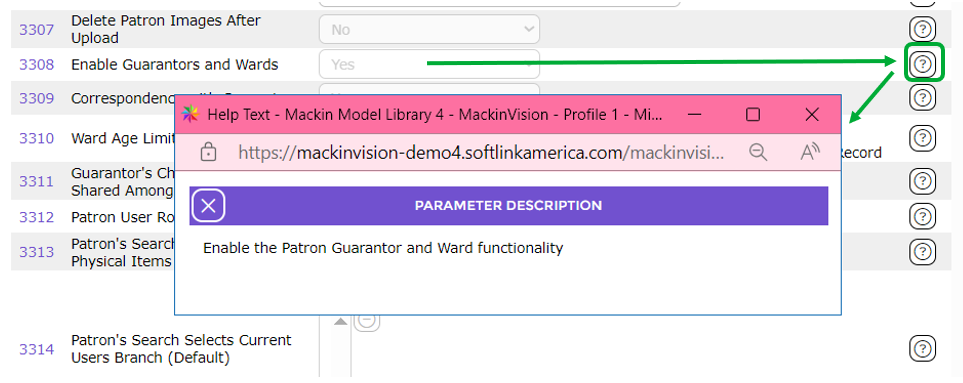
Enabled Guarantor/ Ward Identified
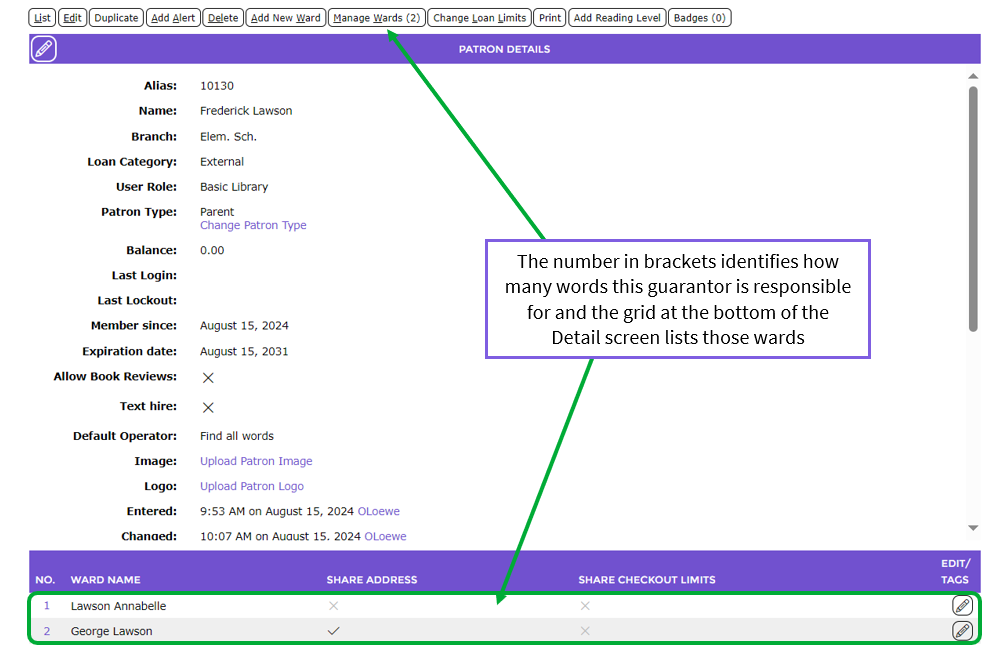
If the Guarantor/Ward feature is enabled patron records will include some/all of the buttons arrow identified in the following patron Detail screen.
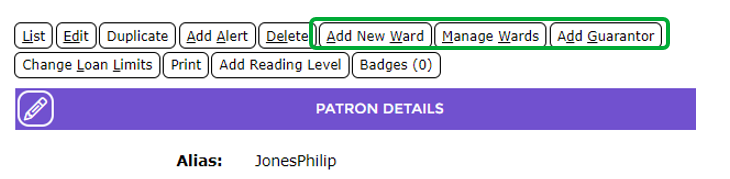
If the patron is a guarantor the Manage Wards button on the Detail screen will in a number in bracket and a grid, containing a link to the associated ward record, is included at the bottom of the screen.
The patron Detail screen of a ward will include a View Guarantor button (but not a Manage Wards or Add New Wards buttons).
Access the Guarantor Record from the Circulation Desk
If the alias of a ward is scanned into the Circulation Desk, a link to the Guarantor’s record is available. It is located under the patron name in the upper right hand side of the screen.
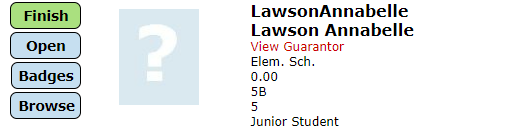
Click on the link to display the Guarantor in the Circulation Desk.
Was this article helpful?
That’s Great!
Thank you for your feedback
Sorry! We couldn't be helpful
Thank you for your feedback
Feedback sent
We appreciate your effort and will try to fix the article