Summary
Patrons can be deleted if they have no outstanding checkouts or outstanding charges. For patrons that have checkouts and charges outstanding, the checkouts must be returned and the charges “paid” or waived before their record can be deleted. Patron records can be deleted individually and in bulk.
Note: Patrons may not be deleted if their User Role is "higher" than the logged-in staff who are attempting the delete process, e.g. Circulation Desk staff may not be able to delete the System Administrator patron. This restriction is controlled via parameter 3365 'canDeleteHigherLevelBorrowers'.
This guide will provide the steps required to delete several patrons at the same time.
Delete Patron Records in Bulk
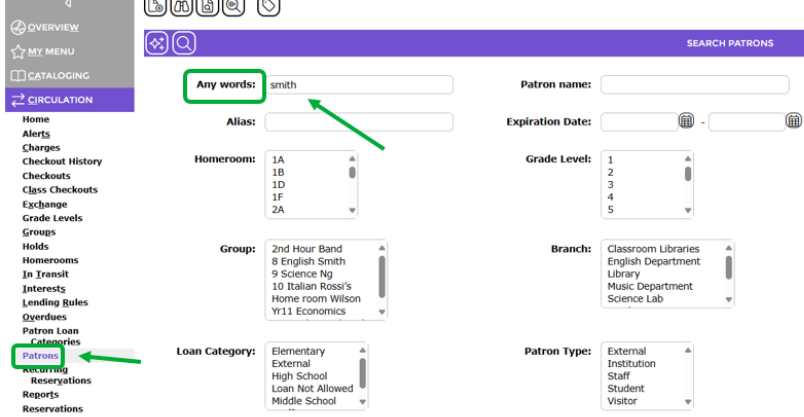
1. To search for patrons to be deleted, navigate to Circulation > Patrons.
2. Enter the name or key words in the desired group of patrons.
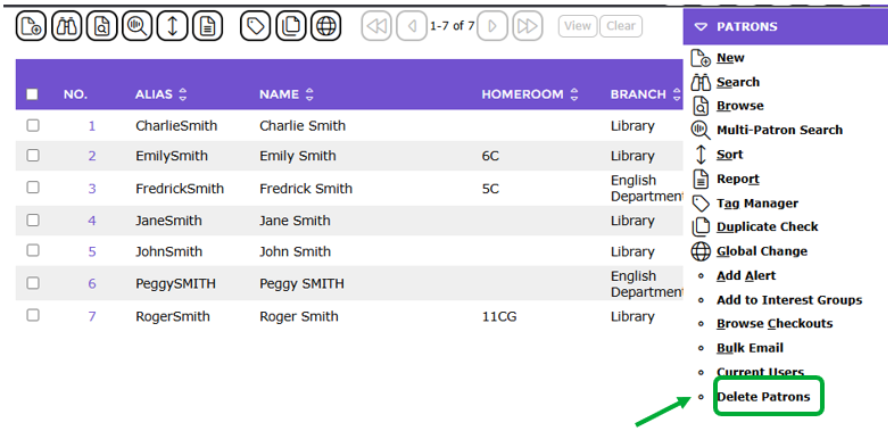
3. In the resulting List screen click on the Patrons menu and select Delete Patrons.
4. The Confirm Deletion of Patrons screen will display.
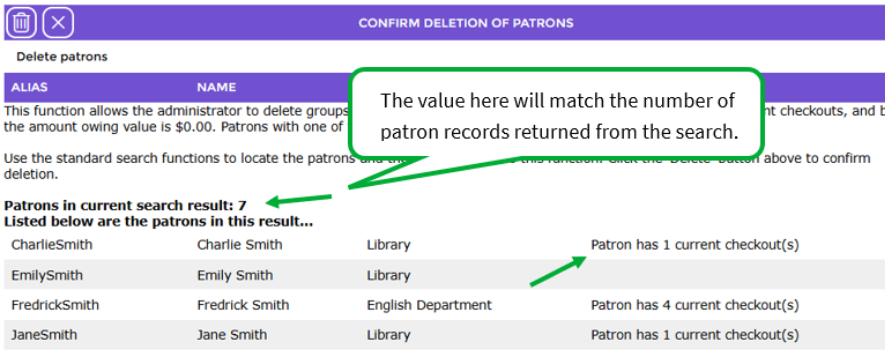
Any patrons listed to be deleted which have charges owed or outstanding checkouts or a User Role "higher" than than the logged-in staff attempting the delete process will be identified. Those records will not be deleted.
5. Click the Delete  button.
The Patron Deletion Results screen identifies those patrons that were successfully deleted. It will also identify any patrons that were not deleted, including the reason.
6. Click the Proceed button to continue.
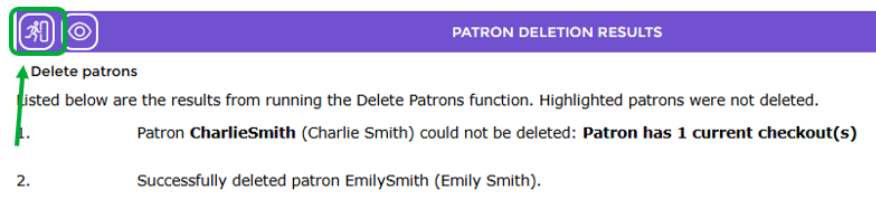
The List screen will display the deleted patron records that have been removed.
Was this article helpful?
That’s Great!
Thank you for your feedback
Sorry! We couldn't be helpful
Thank you for your feedback
Feedback sent
We appreciate your effort and will try to fix the article