Summary
Many processes require a search for a list of patrons, for example, running a report, competing a global exchange or adding a tag in bulk. The Patron Search screen provides a number of options that can be used to return the required records. The search can be as broad or as narrow as required by using as few or as many of the options available.
Patron Search Options
To locate the record for a patron with the surname of Adams tied to the Elem. Sch. branch:
- From the main Management screen navigate to Circulation > Patrons > Search.
- In the Any words field enter Adams. The term can also be entered in the Patron name field.
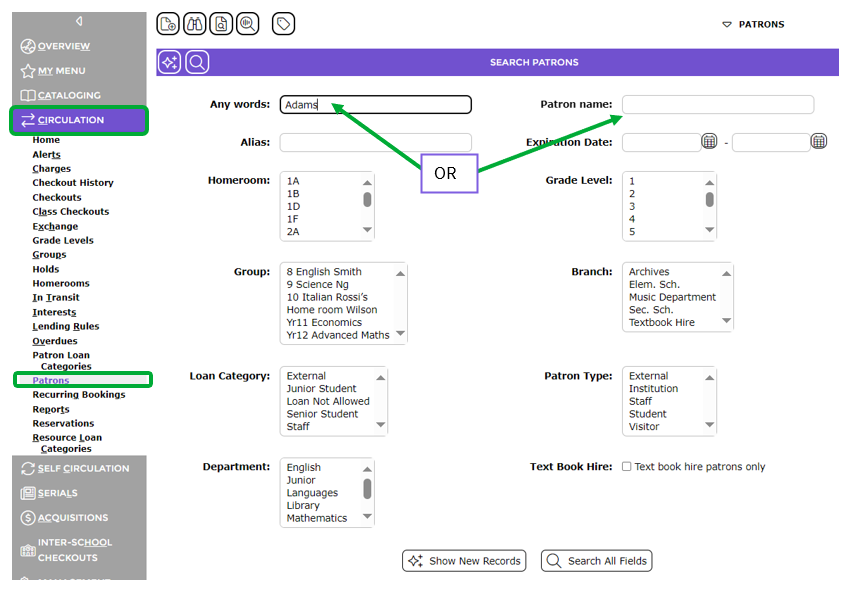
- From the Branch list-box, highlight Elem. Sch.
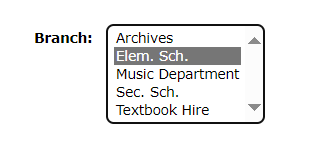
- Click the Search icon (or hit the enter key on the keyboard) and a list of patrons fitting the criteria will list.
- The total number of patron records returned from the search is also indicated by the number range located between the Arrow icons above the list.
- The User can then click on the number link corresponding to the required patron to access the Detail screen of their record or the E link to access the record’s Edit screen.
Search for All Student Patrons at Elem. Sch. Branch
- In the Patron > Search screen highlight Elem. Sch. from the Branch list-box and highlight Student in the Patron Type list-box.
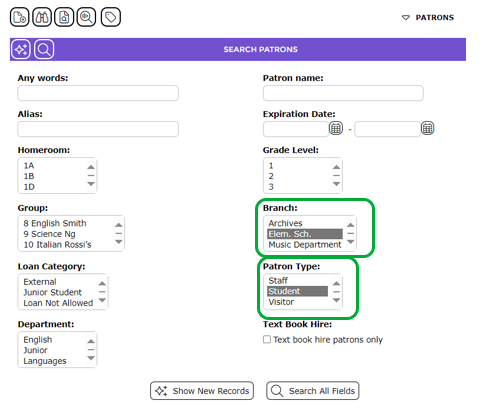
- Click the Search icon or hit the Enter key on the keyboard to return a list of applicable patron records.

Search for Staff Patrons from a Specified Department
- From the Search screen highlight Staff from the Loan Category list-box and highlight for example English, from the Department list-box.
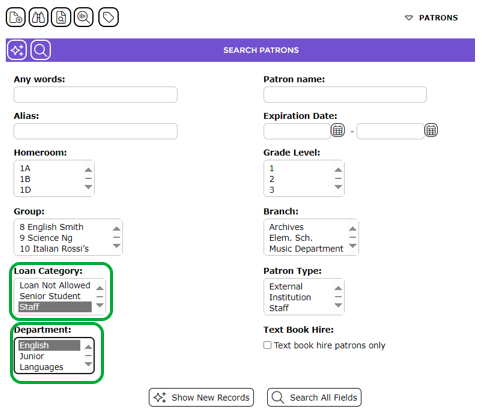
- Click the Search icon or hit the Enter key on the keyboard to return a list of applicable patron records.

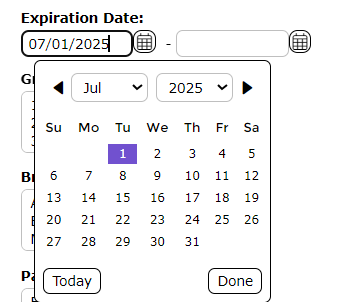
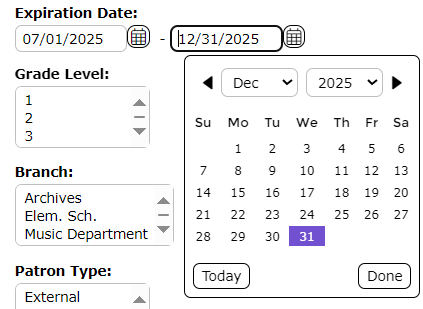
Search for Patrons with an Expiration Date between 07/01/2025 and 12/31/2025
- In the Search screen click the Calendar icon at the end of the first Expiration Date field and select 07/01/2025 (the date can also be manually entered).
- Click the Calendar icon at the end of the second Expiration Date field and select 12/31/2025 (the date can also be manually entered).
- Click the Search icon or hit the Enter key on the keyboard.

- A list of applicable patron records will display.
Search for Patrons in a Specified Homeroom
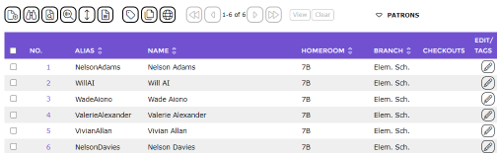
Education organizations that use the Homeroom (and Grade Level) feature can search based on either option. This search will be for all students at Elem. Sch. with Homeroom 7B selected on their record.
- In the Search screen click on 7B in the Homeroom list-box.
- Click on Elem. Sch. in the Branch list-box.
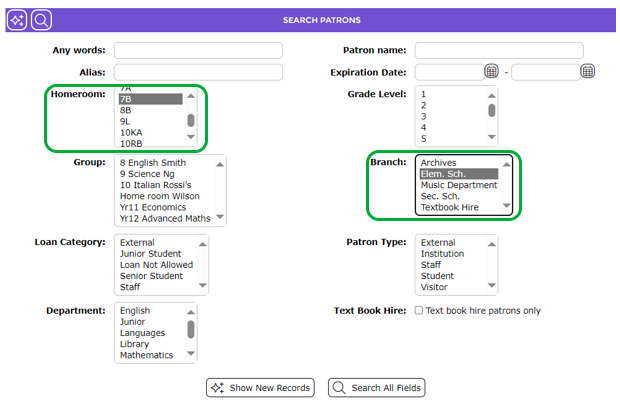
- Click the Search icon or hit the Enter key on the keyboard.

- A list of applicable records will display.
Was this article helpful?
That’s Great!
Thank you for your feedback
Sorry! We couldn't be helpful
Thank you for your feedback
Feedback sent
We appreciate your effort and will try to fix the article