Summary
Located via Management > Parameters, the Circulation parameters are divided into 10 sub-sections according to their area of functionality. The sub-sections are:
• Desk Setup
• Notices
• Rules
• Patrons
• Overdues
• Reservation Setup
• Timeslots
• Receipt Printer
• Passwords and Account Locking
• Reports
Accessing and editing of parameters is determined by User Privilege operations, tied to the logged in staff member’s User Role. It is recommended that a restricted number of staff users have permission to edit parameters. It is also highly recommended that no editing of related Support parameters be done without first consulting a Support Representative.
User Privilege operations tied to User Roles also determine any User’s access to options and processes throughout the system. Information on user Privileges and User Roles are the subjects of separate guides.
This guide identifies the parameter numbers and names. It does not provide an explanation.
Accessing Circulation Parameters
- Circulation Parameters are accessed via Management > Parameters.
- Click on the Arrow icon next to Circulation to display all related sub-options.
- Each of the related sub-sections have an Arrow icon. Click on one to display the parameters related to that sub-section.
Parameters
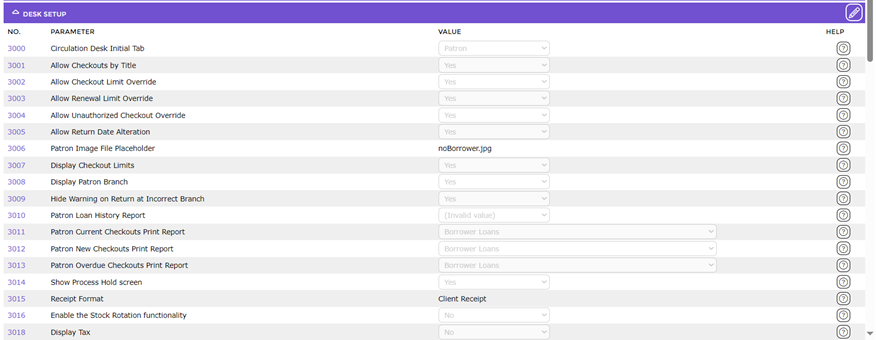
There are a significant number of parameters that affect the setup and functionality of the Circulation Desk. The relevant parameters are:
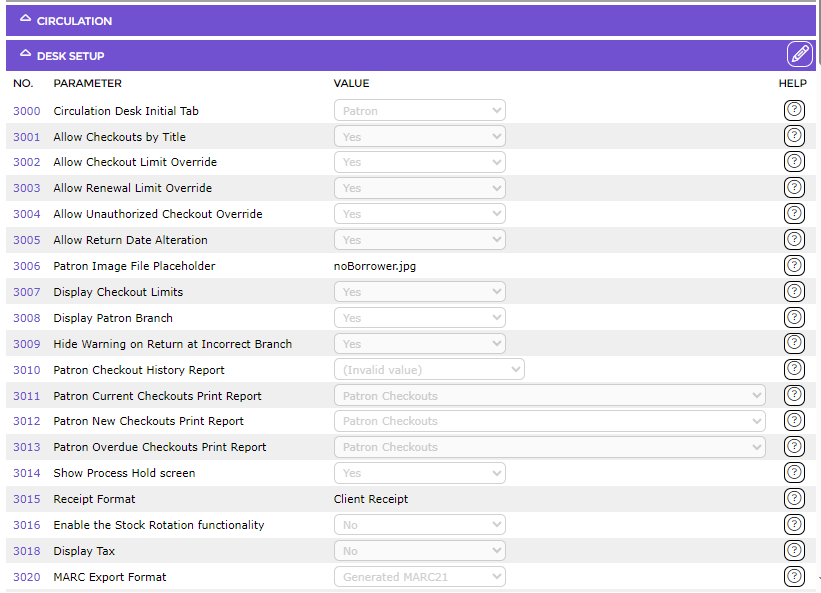
Parameter Nos. 3000-3024, 3042 and 3045-3056 pertain to the Circulation Desk setup. They determine, for example, whether renewal, checkout limits, charges and due date overrides are permitted; enables the setting of the reports to use for overdue checkouts, new and current checkouts, and receipt format. If Stock Rotation is a required function, the applicable parameters are included within this range of parameters[OL1] .
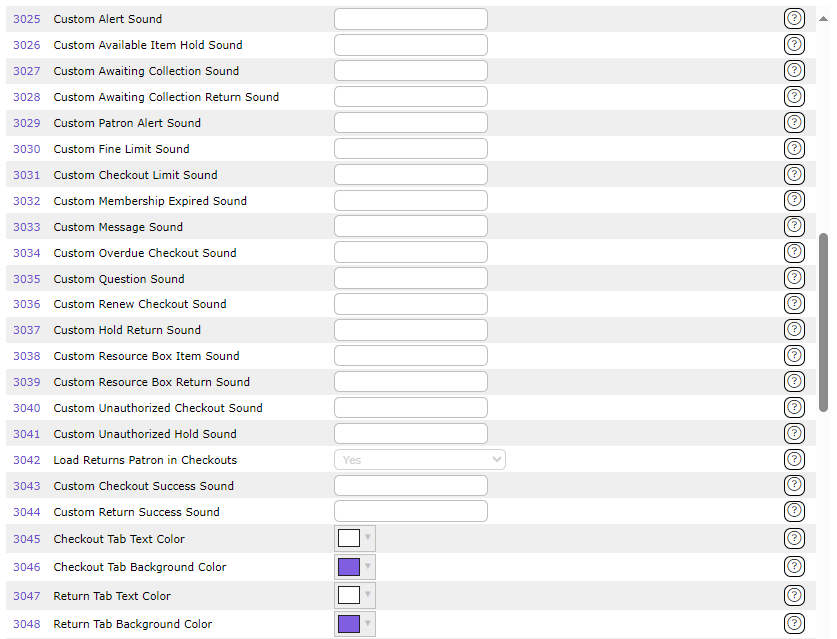
Parameter Nos. 3025–3041 and 3043-3044 provide the option to add a custom sound when messages and alerts display or when items are issued, or returned, successfully in the Circulation Desk.
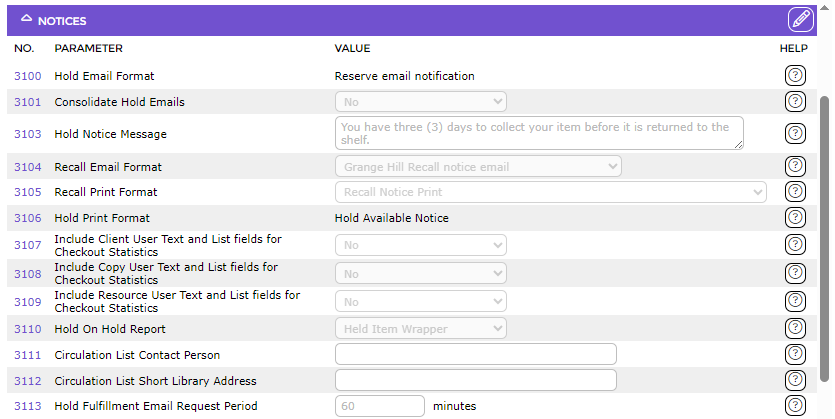
Parameter Nos. 3100-3126 (3001 and 3002 are not currently used) pertain to Notices. Selection on these parameters determines, for example, what reports to use for Email, Recall, Hold on Hold, Interests and Hold Fulfillment reports.
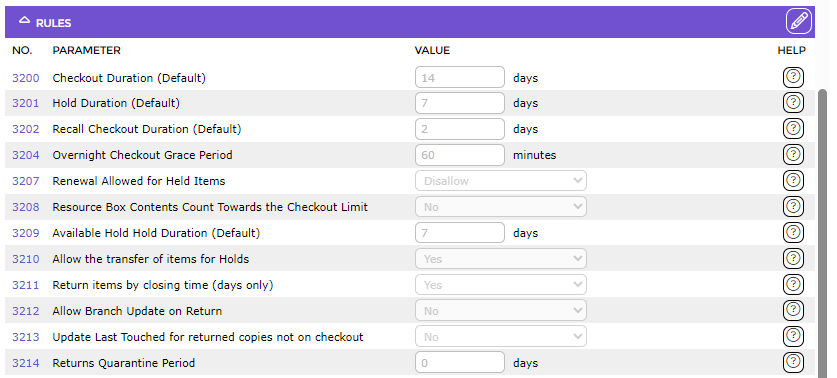
Parameter Nos. 3200-3202, 3204 and 3207-3214 pertain to some default hold rules and settings. They will determine, for example, the default checkout, hold and recall checkout duration, whether renewals are permitted for reserved items and whether individual items in Resource Boxes count towards a Patron’s Checkout Limits.
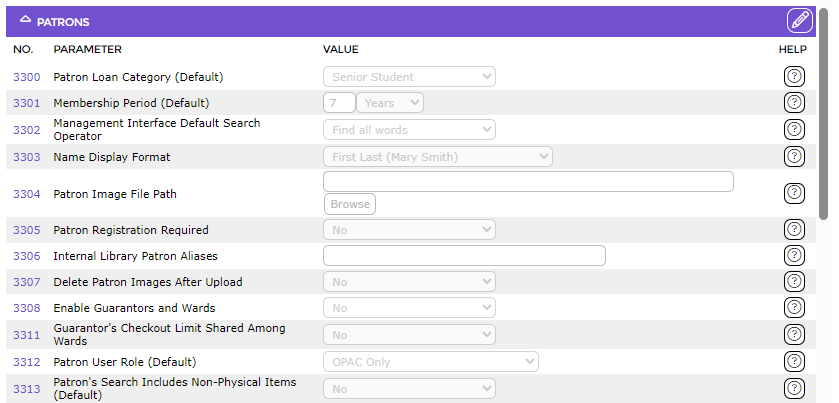
Parameter Nos. 3300-3335 pertain to Patrons. They determine, for example, what the default PLC, membership period and name display format is. It also determines Ward/Guarantor functionality and rules and whether registration is required for Patrons.
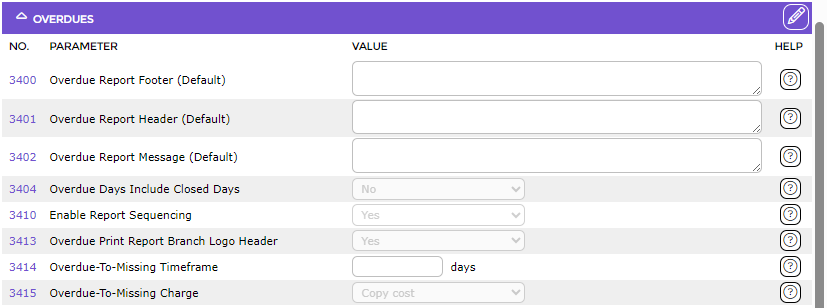
Parameter Nos. 3400-3402, 3404 and 3410-3413 provide options to customize the overdue report header and footer message, whether overdue days include closed days and whether report numbering is sequenced and sequencing date format.
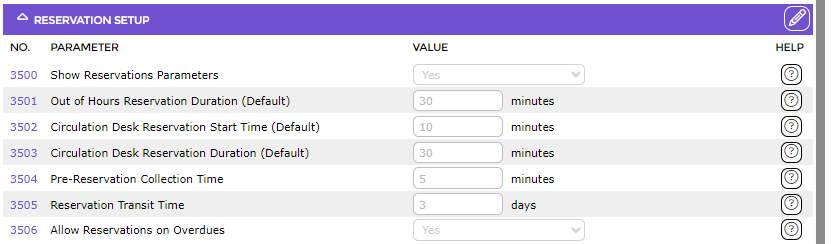
Parameter Nos. 3500-3506 enable the setup of reservations, the start time, duration of Reservations, transit time and pre-reservation collection time.
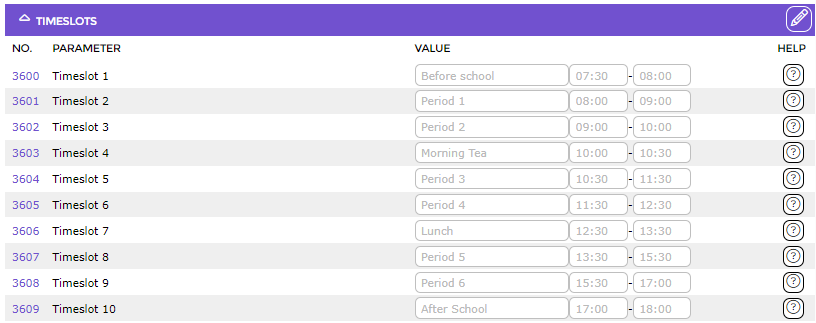
Parameter Nos. 3600-3609 enable the establishment of name, start time and finish time of each of ten reservation slots.
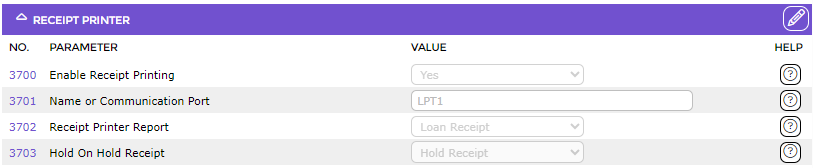
Parameter Nos. 3700-3703 pertain to the receipt printer setup and the selection of the hold On Hold Receipt.
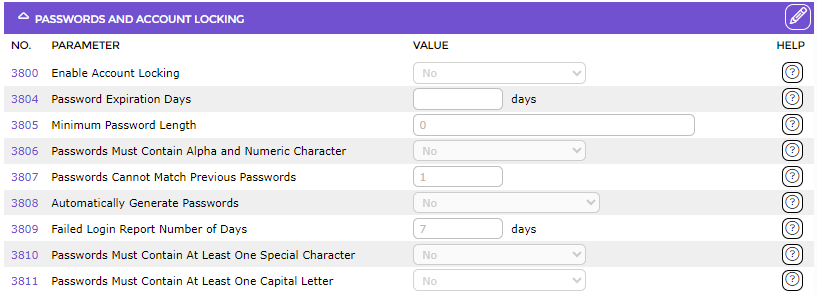
Parameter Nos. 3800-3809 pertain to the Password and Account Locking features such as lock threshold, lock counter duration, minimum password length and expiration days.
Parameter No. 3900 enables you to set a value on the least number of used times before resources are included on the Least Used Resources report. Parameter No. 3901 enables you to set default start and end dates for some reports in Circulation > Reports.

Related Support Parameters
Please consult with a Support Representative before any changes to the Circulation Support Parameters. They are located under the Support [Circulation] [3000-3099] and [3300-3399] in the Management > Parameters screen.
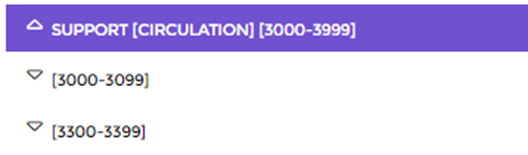
A Support Parameter number is identified by its last two numbers which usually start at 50 and range up to 99, for example 3350 or 3087.
Was this article helpful?
That’s Great!
Thank you for your feedback
Sorry! We couldn't be helpful
Thank you for your feedback
Feedback sent
We appreciate your effort and will try to fix the article