Summary
A report on weed resources and copies can be run once the list of applicable records have been returned from a search.
This guide provides the steps required to run a report on weeded copies. A separate guide provides the steps required to run a report on weeded resources.
Run a Weeded Copies Report
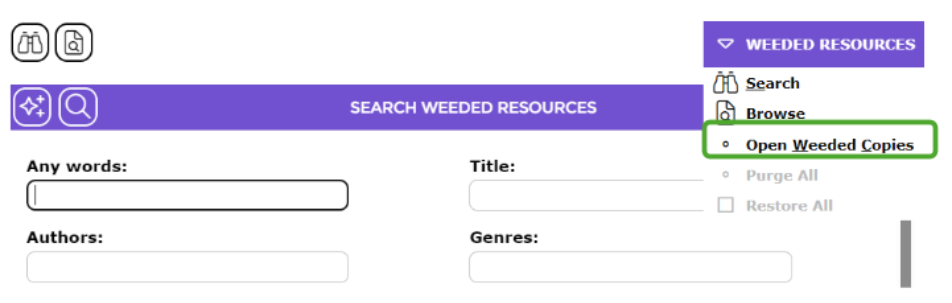
1. Navigate to Cataloging > Weeded and selecting Open Weeded Copies from the Function menu. Either the Search or List screen will display.
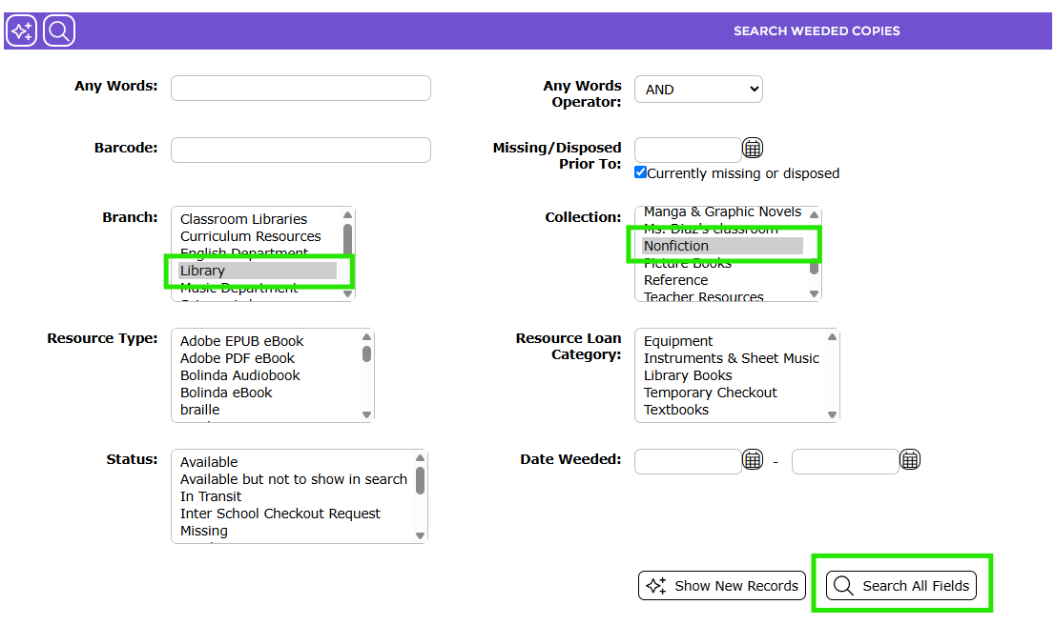
2. The Weeded Copies Search screen will display. Complete a search for the weeded copies you wish to report on, for example, all Nonfiction copies from a specified branch which, for this example, is Library.
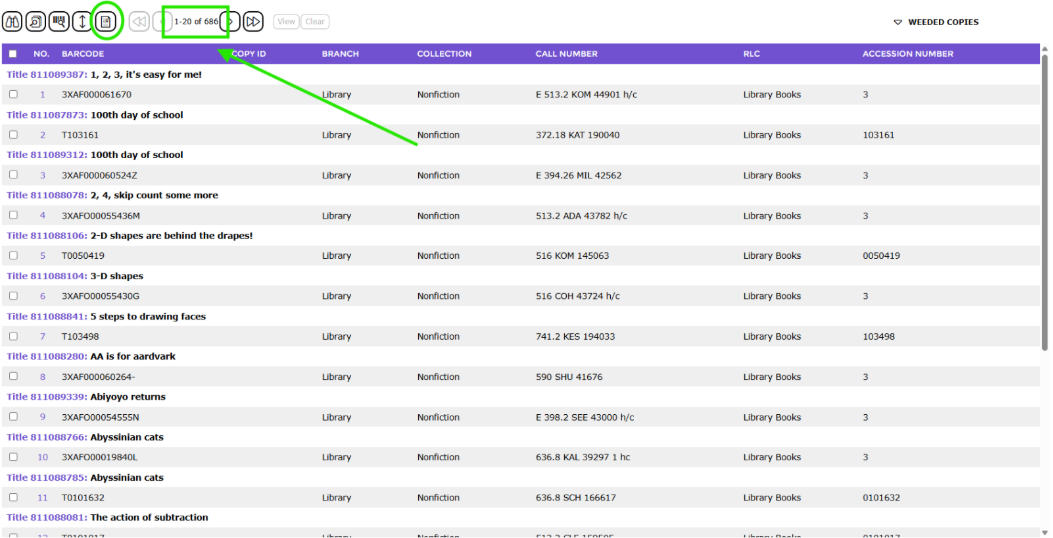
3. In the resulting List screen, click on the Report icon (Report can also be selected from the Function menu or type re).
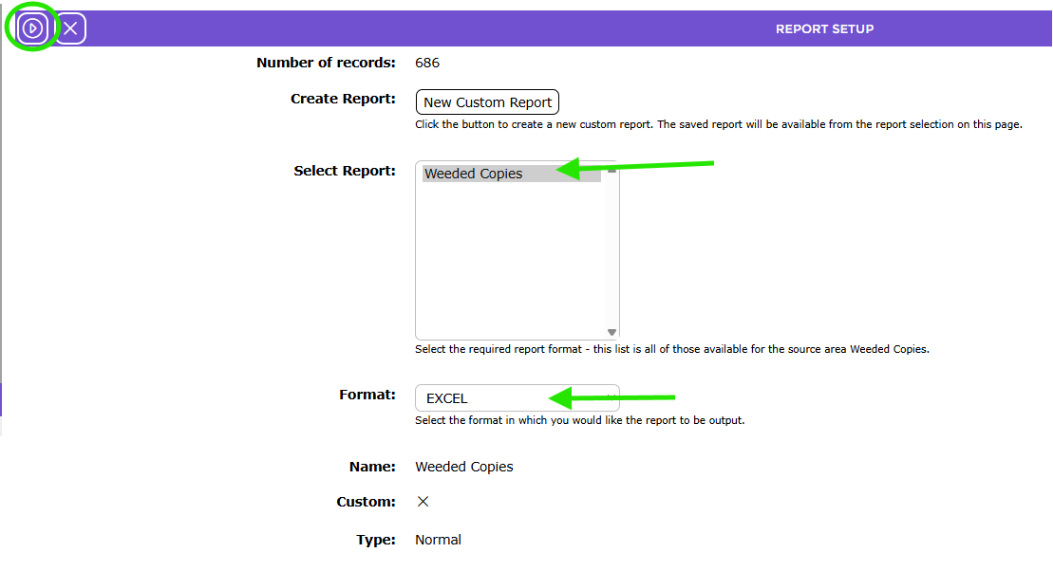
4. The Report screen will display. There is only one Weeded Copy report available. It is highlighted by default.
In the Format field, EXCEL is selected by default. Note that it is the only format currently available for this report.
5. Click the Go icon.
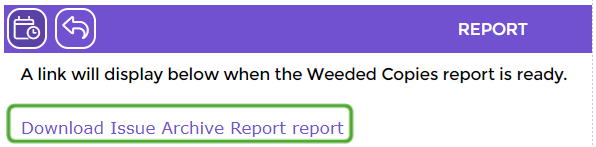
6. The Report screen will display. When the report is ready, it will display as a link. Click on the report link to download.
7. The File Download popup screen or Do you want to open…panel will display. Both options include the Open, Save, and Cancel buttons.
8. Click the Open button to print the report to the screen or click the Save button to save the report to a location on your computer. Click the Cancel button if you do not want to run the report.
9. Click the Return to Weeded Copies List icon to return to the copies List screen.

10. Click the Schedule icon to schedule the report if required. See the How to Schedule a Report for informaiton on how to do so.

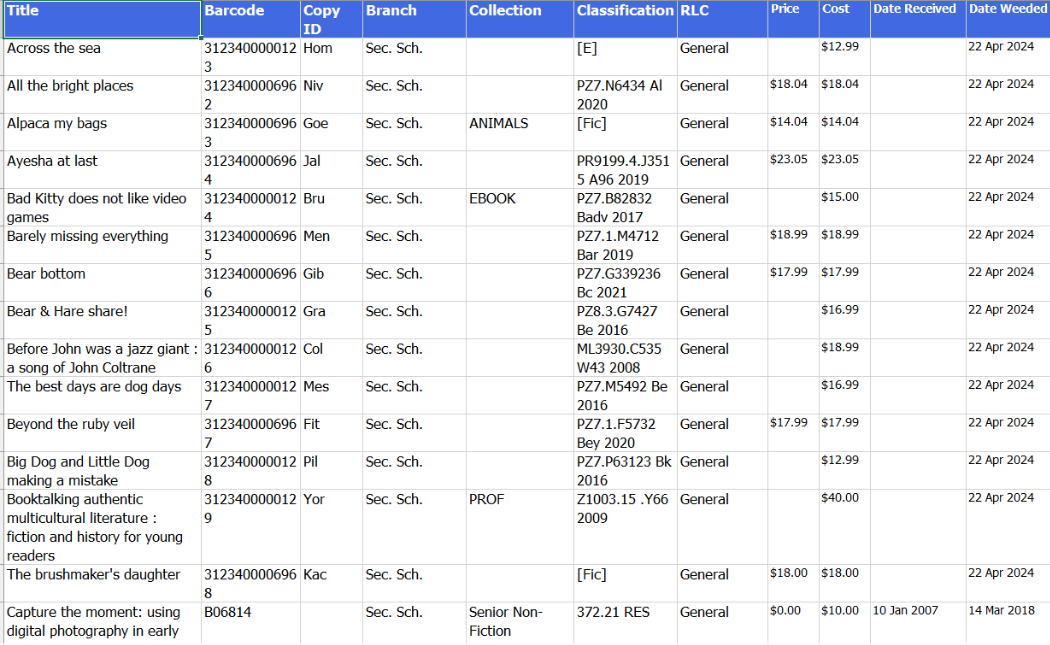
Example of Archived (Weeded) Copy Report
The report includes the following copy information:
- Title
- Barcode
- Copy ID
- Branch
- Collection
- Classification
- RLC
- Date received
- Date Weeded
Was this article helpful?
That’s Great!
Thank you for your feedback
Sorry! We couldn't be helpful
Thank you for your feedback
Feedback sent
We appreciate your effort and will try to fix the article