Summary
For those weeded records that are no longer required to be stored, a Purge process can be run to permanently delete them from the database. Copies can be purged in bulk or purged individually.
This guide will provide the steps required to purge a weeded copy record. Separate guides provide the steps on how to purge all weeded copies, weeded resource records, weed copy and purge resource records.
Purge a Weeded Copy Record
1. Navigate to Cataloging > Weeded.
2. Open Weeded Copies from the Function menu.

3. Click Search all fields or the Browse all button. A list of weeded copies will display.
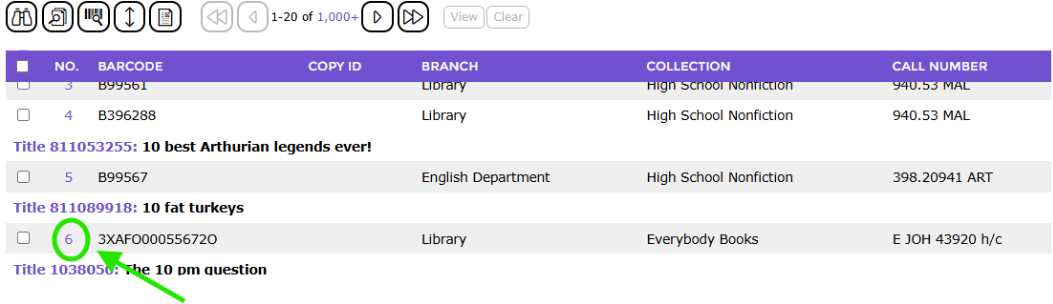
4. From the Copies List screen, click on the copy record to be purged.
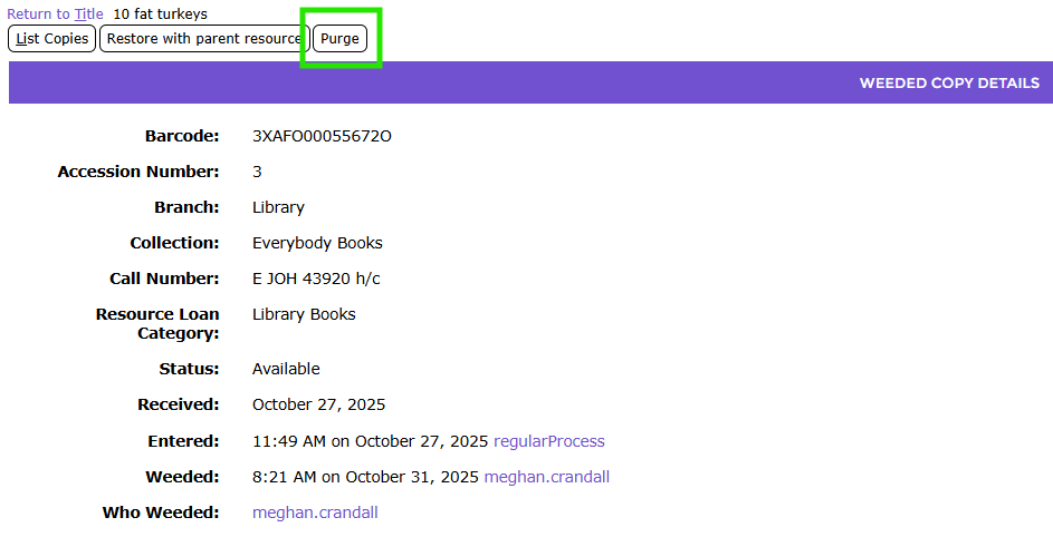
5. The weeded copy’s Detail screen will display. Click on the Purge button.
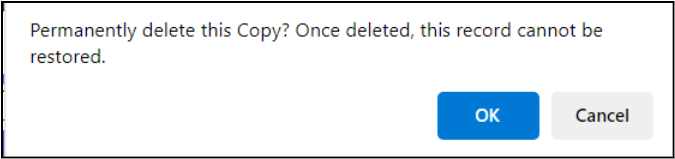
6. A confirmation message popup screen will display. Click OK.
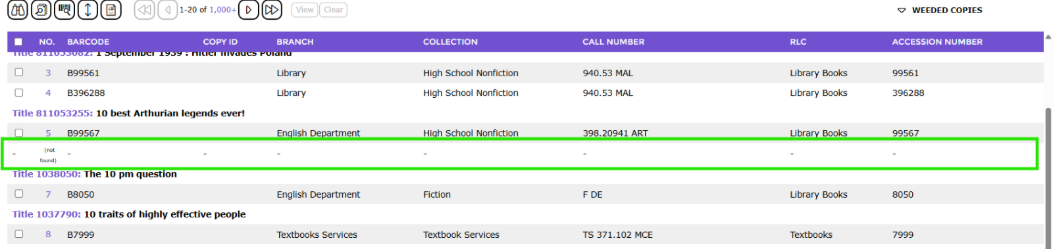
7. The Weeded Copy List screen will display and the copy record will no longer exist.
Was this article helpful?
That’s Great!
Thank you for your feedback
Sorry! We couldn't be helpful
Thank you for your feedback
Feedback sent
We appreciate your effort and will try to fix the article