Summary
If you have created an Interest Group and no longer have tied Interests and Patron searches to the group, it is a simple process to delete it.
This guide will provide the steps required to delete an unused Interest Group. Separate guides provide the steps required to create Interest Groups, adding a patron, and patrons in bulk to Interest Groups, and deleting Interests.
Delete an Unused Interest Group
1. Navigate to Circulation > Interests.
2. Go to the Function menu and click on the Interest Groups option.
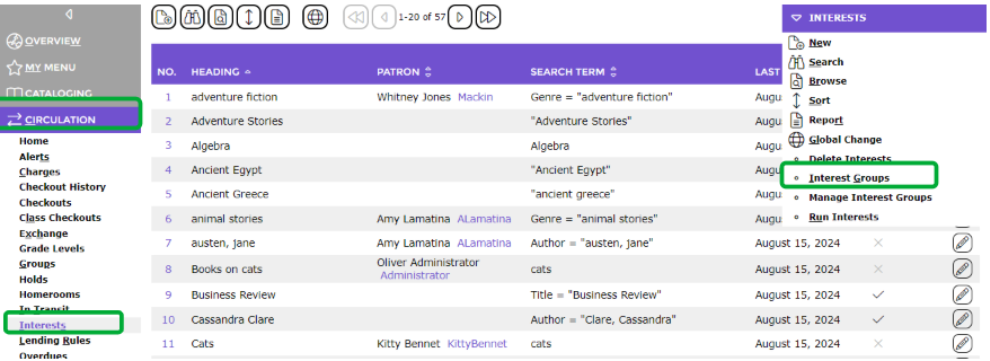
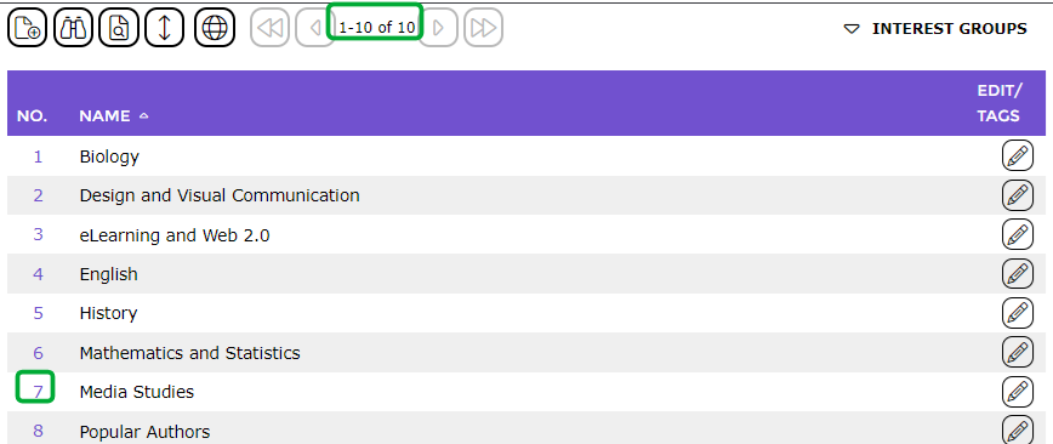
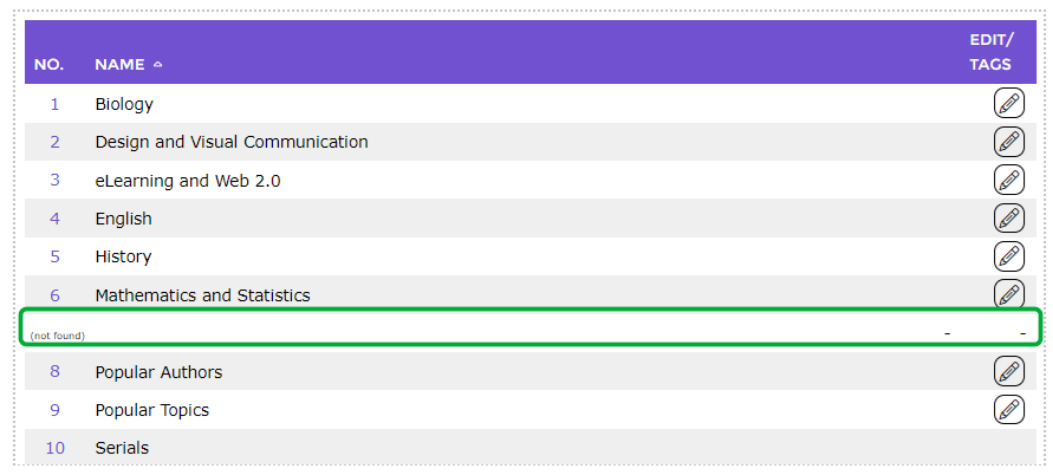
3. The Interest Groups > List screen will display. If you have a large number of Interest Groups, it may be preferable to search for the Interest Group you wish to delete.
4. Click on the number link corresponding to the Interest Group to be deleted, for example, 7.
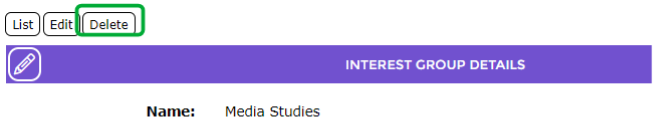
5. If no interests and no patrons are tied to the group, a Delete button will display on the Interest Group > Detail screen. Click on the Delete button.
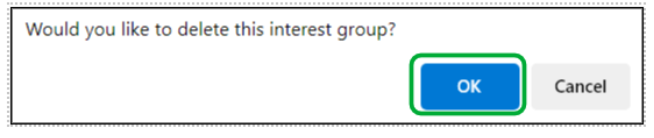
6. A confirmation message popup screen will display. Click on the OK button to delete the group.
7. The Interests Group > List screen will display and the group is no longer included.
Note: Any Interest Groups that have Interests or Patrons tied to them cannot be deleted. In order to delete that group, you must navigate to the patron records for which that interest group is still tied and deselect it from the patron’s detail screen. You must also delete any interests tied to the interest group, by navigating to the interests within that group (see below) and choosing Delete Interests from the function menu.


Was this article helpful?
That’s Great!
Thank you for your feedback
Sorry! We couldn't be helpful
Thank you for your feedback
Feedback sent
We appreciate your effort and will try to fix the article