Summary
The Manage Interest Groups option enables you to add Interests and patrons in bulk to Interest Groups. While Interests can be removed in bulk, patrons cannot. Currently, the Interest Group must be de-selected from each applicable patron record.
This guide will provide the steps required to delete the Interests from the Manage Interest Groups screen.
How to Delete Interests from an Interest Group
- Navigate to Circulation > Interests > Search.
- In the Any words field enter the name of the Interest that is to be removed from the Interest Group to which it is tied, and click the Search icon.
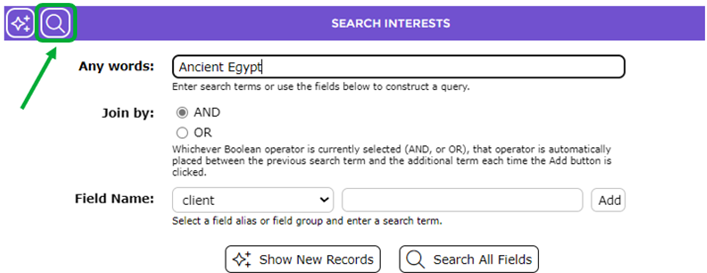
- The matching Interest (or Interests) will display in the List screen.
- Go to the Function menu and click on the Manage Interest Groups option.
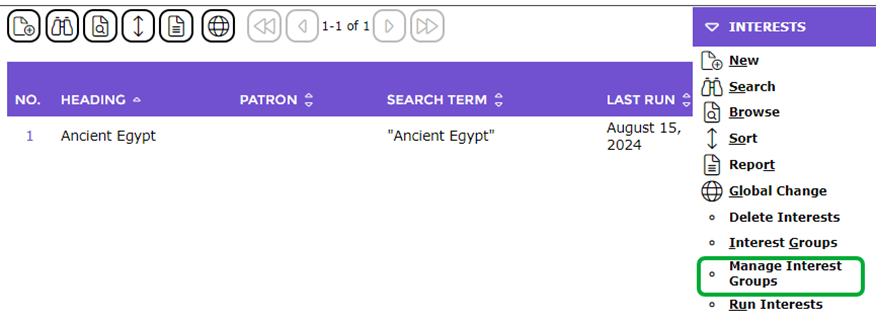
- The Manage Interest Groups popup screen will display.
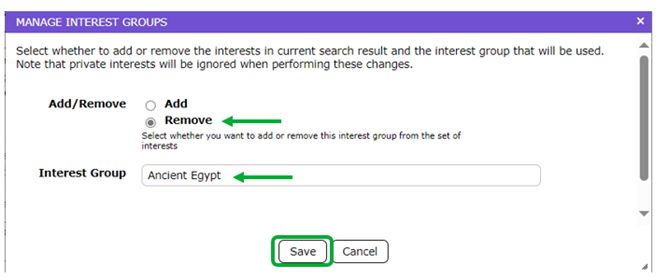
The Manage Interest Groups screen enables you to add or remove interest/s in the current search result.
- Click in the radio button next to Remove.
- In the Interest Group field, enter the name of the Interest Group the Interests are to be removed from, for example, Ancient Egypt.
- Click the Save button.
- The screen will refresh and a message will display indicating whether the Interest or Interests were removed. If one (or more) of the Interests in the search results screen does not belong to the Interest Group entered the message will indicate so.

- Click the Close button to return to the Interests List screen.
To Delete a Patron Search from an Interest Group
- From the Interests > List screen go to the Function menu and click on Interest Groups.
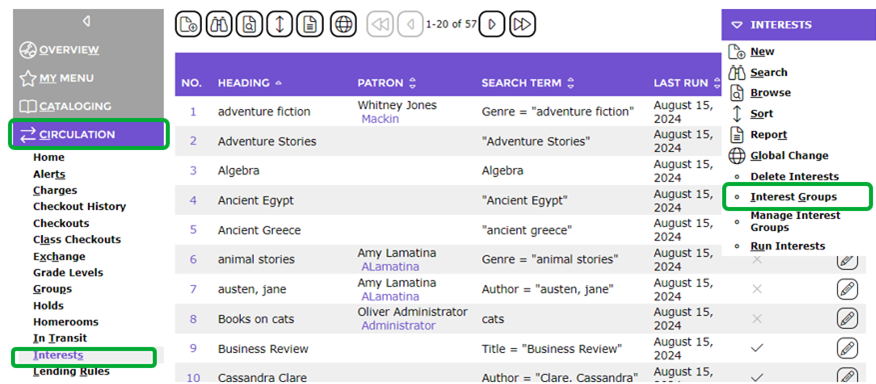
- If you have a large number of Interest Groups you may need to complete a search to narrow the number displayed in the List screen otherwise click on the number link corresponding to the Interest Group to be viewed.
- The Interest Group’s Detail screen will display. If any Patron searches were done for the group (used to add patrons to an Interest Group) they will display in a grid below the Name field.
- Click on the Trash Can (Remove this patron search from the Interest Group) icon at the end of the Interest Group “search” line.
- A confirmation message popup screen displays.
- Click the OK button.
- The screen will refresh and the ‘Search” line is removed.
The Patrons (xx) button will remain on the Interest Group Detail screen. A Delete button will not be available until the Interest Group is “de-selected” from each patron record.

Was this article helpful?
That’s Great!
Thank you for your feedback
Sorry! We couldn't be helpful
Thank you for your feedback
Feedback sent
We appreciate your effort and will try to fix the article