Summary
Shared Interests group a number of individual interests to an overarching Interest Group to which Patrons can subscribe or to which staff can subscribe Patrons. Patrons can be tied to one or more groups and by default are subscribed to all the group’s associated Interests. Patrons are emailed automatically when any new resource, matching the shared Interests within the Interest Group, is added to the catalog. Library staff can delete or edit Interests and Interest Groups as required. Logged in library patrons can unsubscribe to any Interest Group they are included on via their My Portal Interests screen.
How to Subscribe to Shared Interests
Staff can subscribe Patrons to Interest Groups individually via the Patron Add and Edit screens.
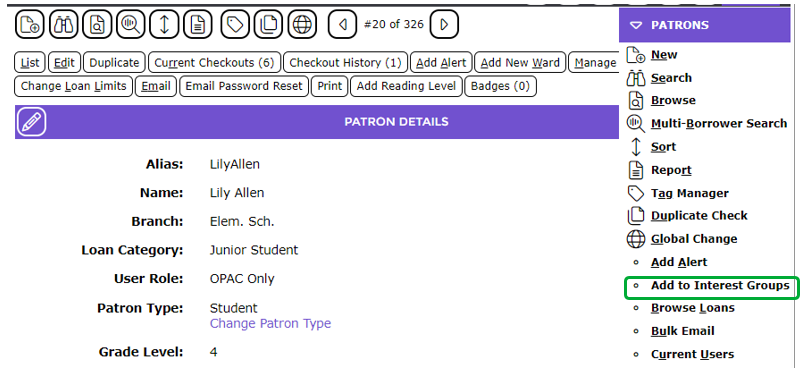
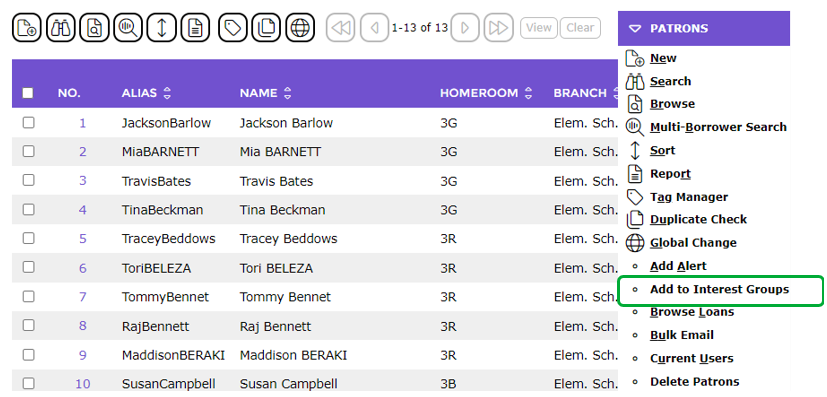
Patrons can be added to Interest Groups in bulk via Add to Interest Groups option once a search for the applicable patrons has been completed.
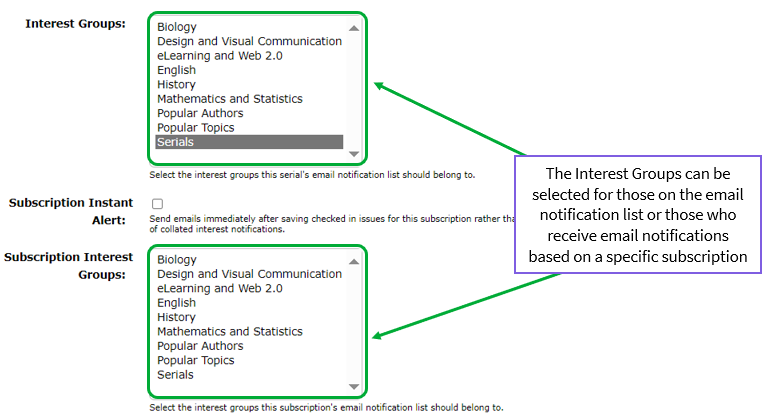
Staff can select Interest Groups on the Subscription Add or Edit screen in Serials.
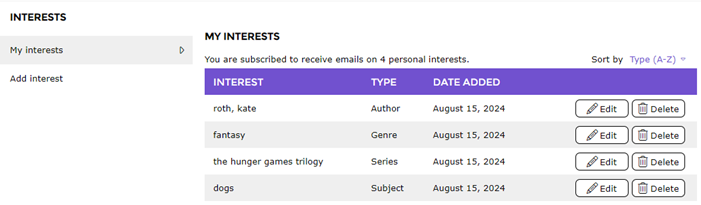
Logged in patrons can subscribe to Interests within available Interest Groups via the Learn Path > Interests screen.
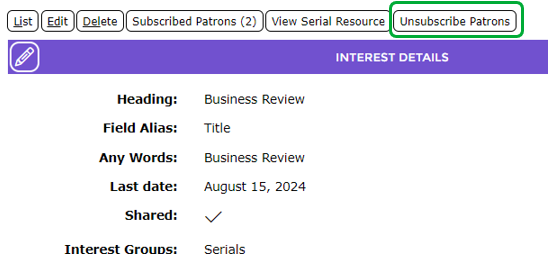
Library staff with the applicable User Privileges can remove all patrons subscribed to a shared interest via the Unsubscribe Patrons button on the applicable Interest Detail screen.
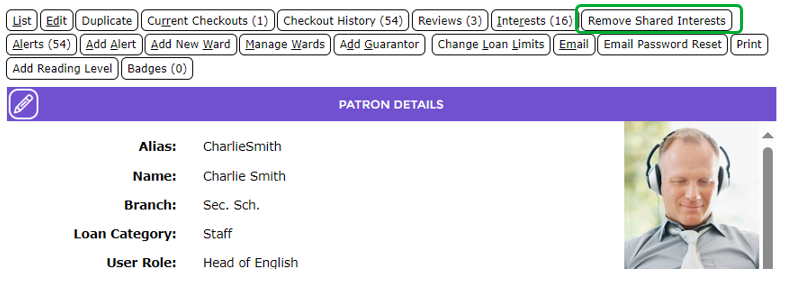
Library staff with the applicable User Privileges can remove all shared interests of a patron via the Remove Shared Interests button on the patron’s Detail screen.
Related Housekeeping Process
A related Housekeeping process should be activated for inclusion in the automated nightly run. Once Housekeeping is run, any newly added resources matching any Shared Interests to which the Patrons are subscribed are identified.

The system will automatically send a notification email, identifying all matched, newly added resources, to all applicable Patrons.
Was this article helpful?
That’s Great!
Thank you for your feedback
Sorry! We couldn't be helpful
Thank you for your feedback
Feedback sent
We appreciate your effort and will try to fix the article