Summary
A Patron Type is a mandatory requirement for all patron records. The default type highlighted, when creating a patron record, can be changed whilst creating the record or changed at a later date.
This guide will provide the steps required to change the existing Patron Type on a patron record.
Change the Patron Type
1. In Circulation > Patrons, search for and access the applicable Patron Details screen.
2. Click on the Change Patron Type link.
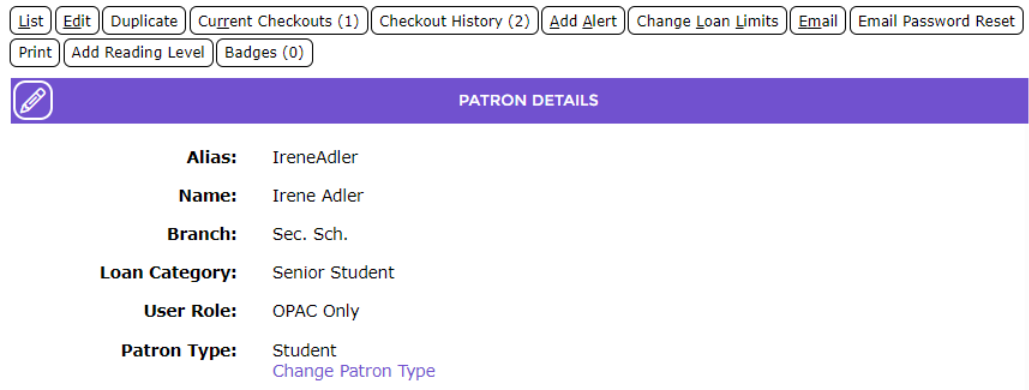
The Change Type popup screen will display with the current Patron Type highlighted in the list box.
3. Scroll (if necessary) to locate the Type required in the list box.
4. Highlight the required option, for example External, and click the Save button.
The Circulation > Patrons > Edit screen will display.
5. Complete any changes to the Patron field as required, for example the Loan Category or User Role, then click the Save button.
The Patron Details screen will display with the changed Patron Type.
Was this article helpful?
That’s Great!
Thank you for your feedback
Sorry! We couldn't be helpful
Thank you for your feedback
Feedback sent
We appreciate your effort and will try to fix the article