Summary
When staff attempt to weed a Serial resource with a Component record attached, a message can display indicating that the resource cannot be weeded because it has a Serial Component record still attached. The message is: This resource cannot be weeded because it has the following attached records…
This guide will provide the steps that need to be followed to weed a Serial Resource that is integrated into the Serials module:
Serial Resource Serial Component Serial Subscription Claims, Circulation Lists, Order History, etc.
Identify Linked Subscriptions
- Search for and access the applicable serial resource’s Detail screen.
- Click the Weed button.
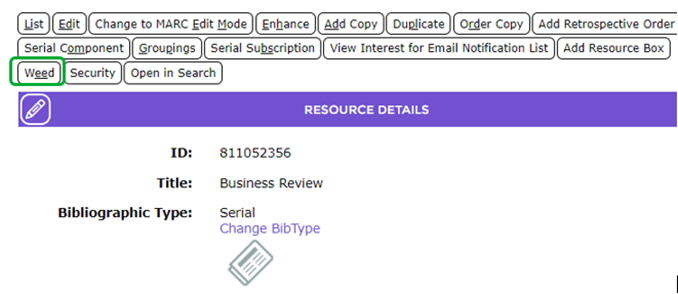
- The Cataloging > Weeding screen will display.
- If there is a Component record still tied to the resource a Show 1 Serial Components link will be available. Click on that link.
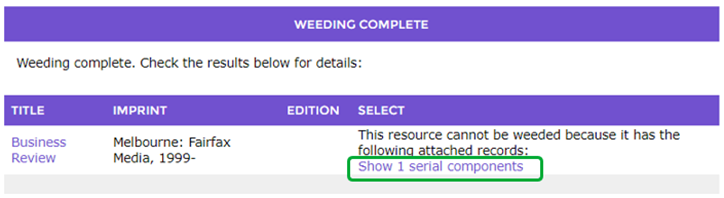
- The Component List screen will display. If there are any subscriptions tied to the Component, there will be no Delete button on the Component Detail screen. The staff member will need access the Subscription Detail screen.
- Click on the Subscription(s) button or the number link on the Component List screen.

- If there is only one subscription, the Subscription Detail screen will display. Otherwise, a List screen will display showing the subscriptions tied to the component. If that is the case, click on the number link for one of the subscriptions.
Delete Linked Subscriptions
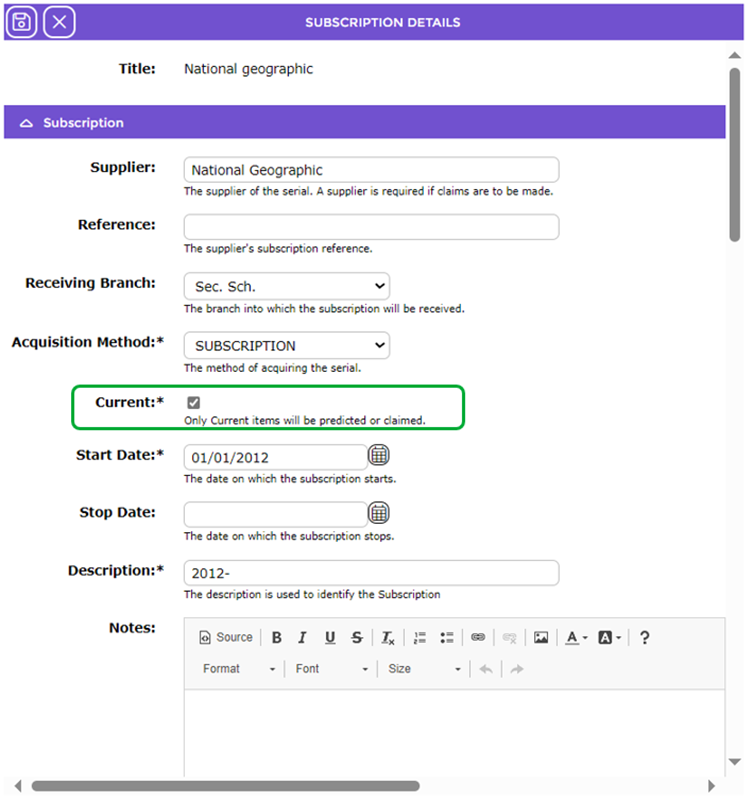
- As the Current checkbox must be un-ticked before a Delete button is available on the Subscription screen, click the Edit button.

- In the resulting Subscription Edit, screen click in the checkbox next to Current to remove the check then click the Save button.
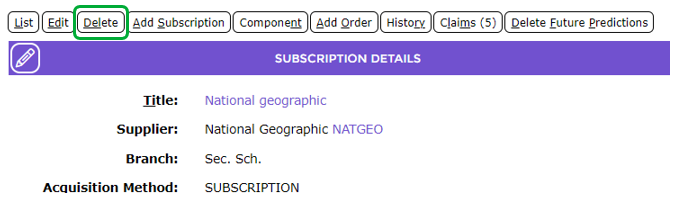
- The Subscription Detail screen will display and the Delete button is now available.
- Click the Delete button.
- A message popup screen, asking you to confirm the deletion of the subscription will display.
- Click OK to confirm the deletion.
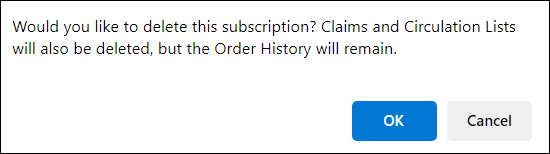
- The List screen will display and the subscription record is no longer available.

- Repeat for all the other subscriptions in the list
Delete the Linked Component
- Access the Component Detail screen again and a Delete button is now available.
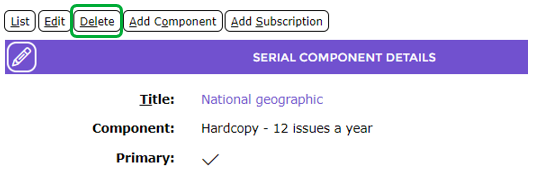
- Click the Delete button and a confirmation popup screen will display.

- Click the OK button.
- The Component List screen will display and the component is no longer included.

Weed the Serial Resource
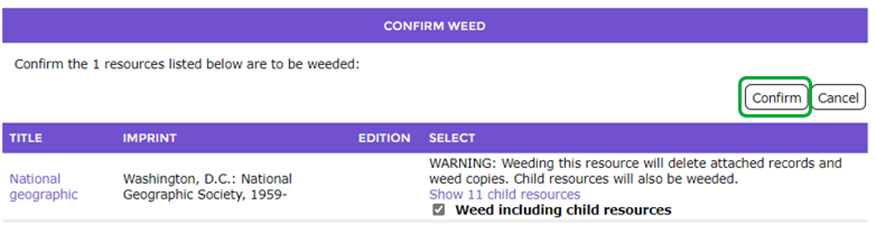
- Access the resource record of the serial and click the Weed button. The serial resource record can now be deleted.
Was this article helpful?
That’s Great!
Thank you for your feedback
Sorry! We couldn't be helpful
Thank you for your feedback
Feedback sent
We appreciate your effort and will try to fix the article