Summary
The activation of operations included on User Privileges, and tied to the User Role selected on the staff Patron records, determine whether they can add or remove custom help guides or can only view custom (and system provided) help guides. Be aware that access to view custom help guides will also be dependent on whether that staff member has access to the custom guide explaining how to complete the functionality.
Access to system provided and custom help guides is also based on the User Privilege operations included in the User Role of logged in library patrons. For example, OPAC only patrons can access system and custom guides for self-help functionality they can complete in the library Home screen; they would not access those relating to library processes.
Note: Custom help guides refer to those produced by library staff. System help guides refers to those included with the LMS by default.
To go directly to a section in this guide, click on the Crtl key on your keyboard and click on the applicable section heading below:
- Related User Privilege Operations
- Help Related Privileges by Module
Related User Privilege Operations
There are /home/help/* Add/Edit/Delete sub-menu options for each module located under the top level Privilege of /help/*. Access to User Privileges is via the System menu option. Changes to default settings on operations or including additional privilege operations are completed via the User Privilege > Edit screen in the usual manner.
User Privileges Activated by Default
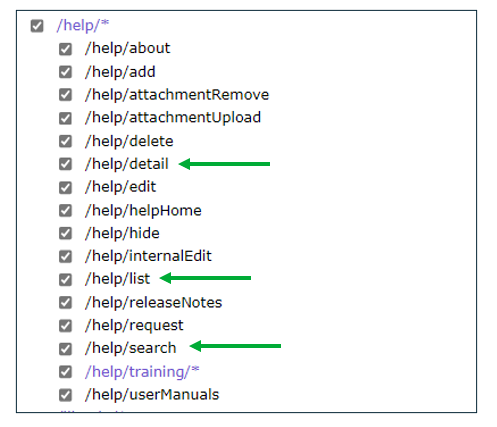
The following standard usage operations are activated by default for all Users both staff and Patrons with OPAC User Roles only:
- /help/search – allows Users to access the Help interface
- /help/list – allows Users to view the Help guides search results
- /help/detail – allows Users to view the Help guides
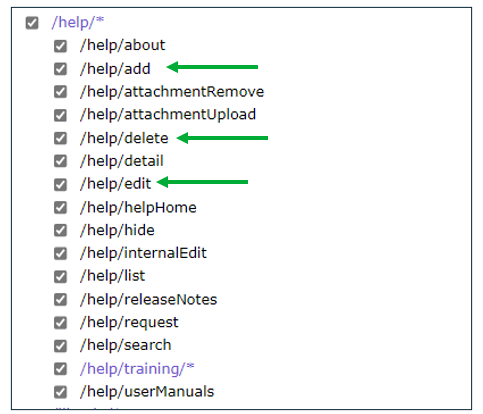
The Management group, which are those Users who previously had at least one home/help/ (add/edit/delete) privilege, will have the following Privileges activated by default:
- /help/add – allows Users to add custom Help guides
- /help/edit – allows Users to edit custom Help guides
- /help/delete – allows Users to delete custom Help guides
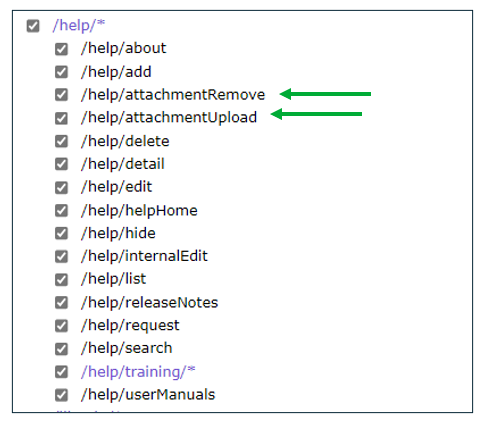
The following two Privilege operations are activated by default for those Users with Help add/edit/edit/delete Privileges:
- /help/attachmentUpload – allows Users to upload the custom Help guide files
- /help/attachmentRemove – allows users to removed custom Help guide files
The following screen example has all /help/* operations ticked as would be the case for an Administrator User with access to all Help add/edit/delete functionality: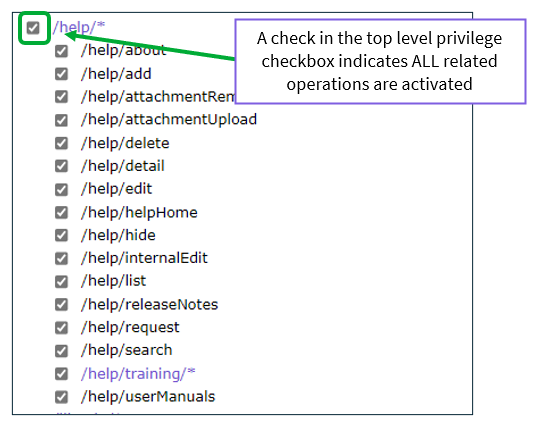
Help Related Privileges by Module
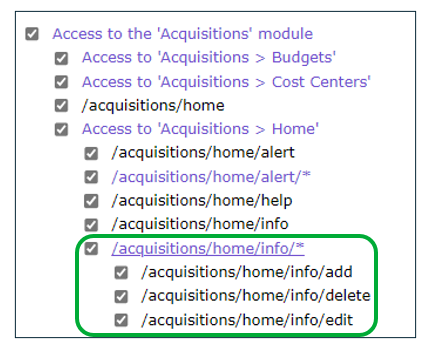
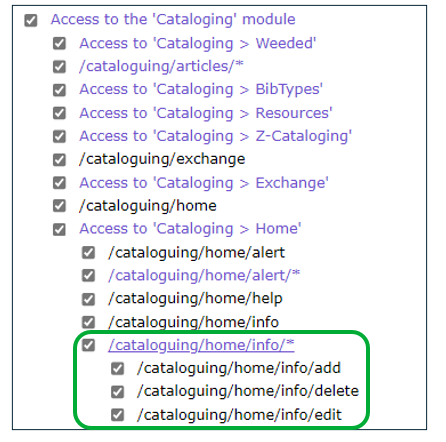
There are also Help User Privileges included under each module. Each module includes a /home/info/* sub-set of Privileges. These can be activated or not as applicable. For example, one or more staff members may be permitted to add custom Help guides for Acquisitions and Cataloging but not Circulation or OPAC.
The following screen examples will illustrate how the related User Privilege operations for such a staff member should be set – note that all add/edit/delete checkboxes under the Acquisitions and Cataloging /home/info/* contain a check while those for Circulation and OPAC do not.
Activated Acquisitions Help Privilege operations:
Activated Cataloging Help Privilege operations:
Non-activated Circulation Help Privilege operations: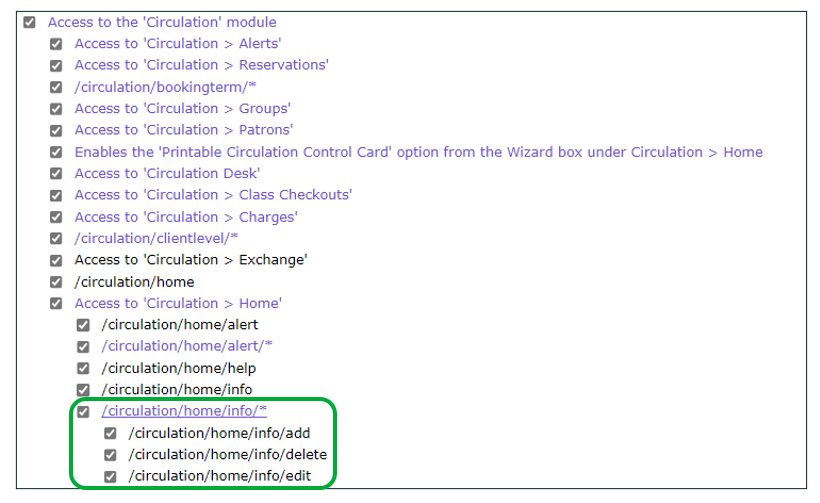
Non-activated OPAC Help Privilege operations: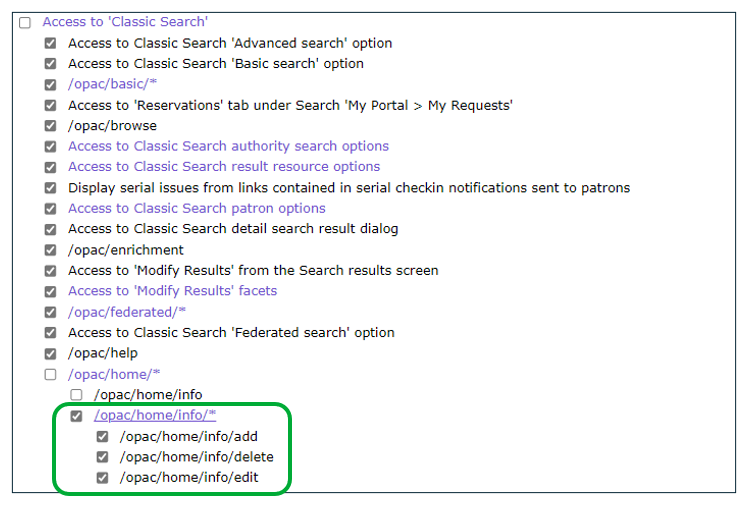
For further information on User Privileges, see the How to Create a User Privilege guide.
Was this article helpful?
That’s Great!
Thank you for your feedback
Sorry! We couldn't be helpful
Thank you for your feedback
Feedback sent
We appreciate your effort and will try to fix the article