Summary
For instances when a patron wants to know what their position on a holds queue is, library staff can check either via the patron’s record Detail screen or via the resource’s Detail screen.
This guide will provide the steps required to access a patron’s current checkouts via the Patron Detail screen and the Resource Detail screen. A separate guide provides the steps required to place a hold.
Access a Patron’s Holds
1. Navigate to Circulation > Patrons and complete a search for the record of the patron whose holds you wish to check.
2. Click on the number link to access the Patron > Detail screen.

3. Click on the Current Holds (x) button. The number in brackets identifies how many holds the patron has.

4. The Holds > List screen will display. It will only include titles on which the patron has requests. Click on the number link of the applicable title.

5. The Holds > Detail screen will display. Other patrons with a hold on the title, if applicable, as well as the patron through whose record you accessed the screen, will list.
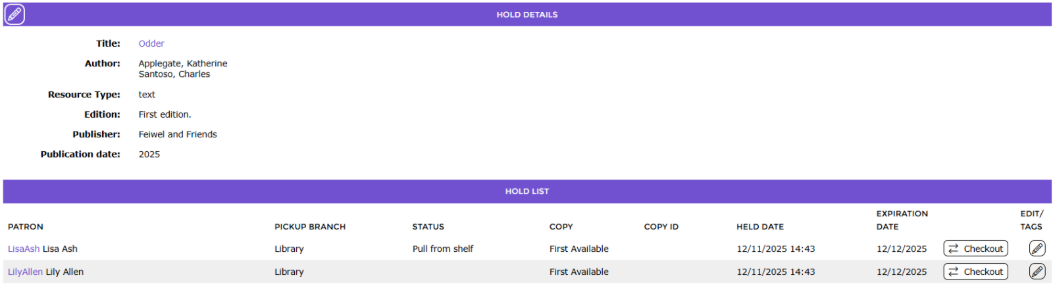
Staff can identify where in the list of requests the Patron is.
Note: Staff can access the Detail screen of any other patrons with a hold on the title by clicking on the applicable patron Alias. The patron Alias is in purple, indicating a link.
Access a Patron’s Place on a Holds List via the Resources Screen
1. Navigate to Cataloging > Resources and search for the resource title required.
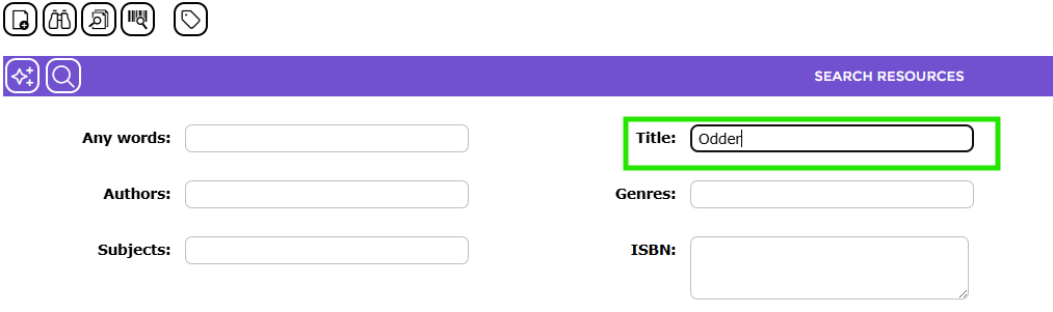
2. Click on the number link of the resource.

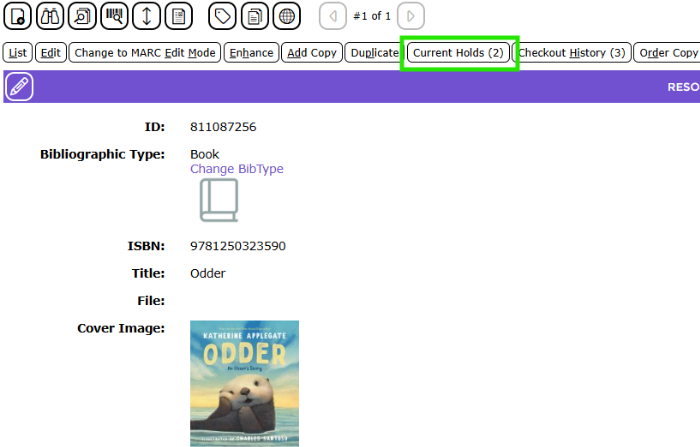
3. In the resource’s Detail screen click on the Current Holds (x) button.
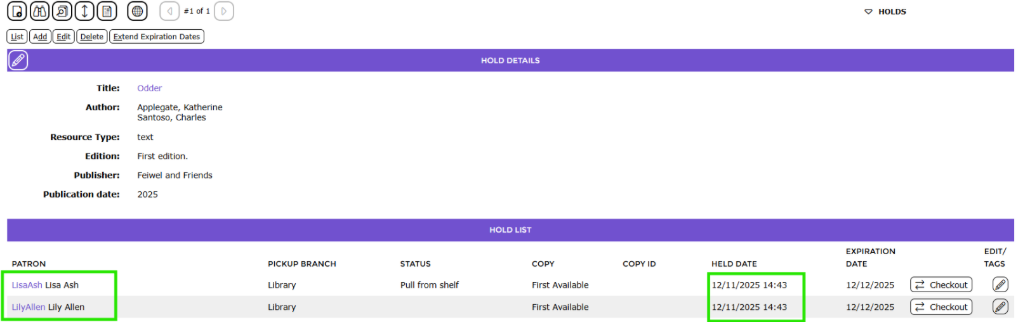
4. The Requests > Detail screen will display listing all patrons who have placed a hold on the title. Patrons with a hold on the title list in the order in which they placed the request. The time and date on which they placed the hold is also included.
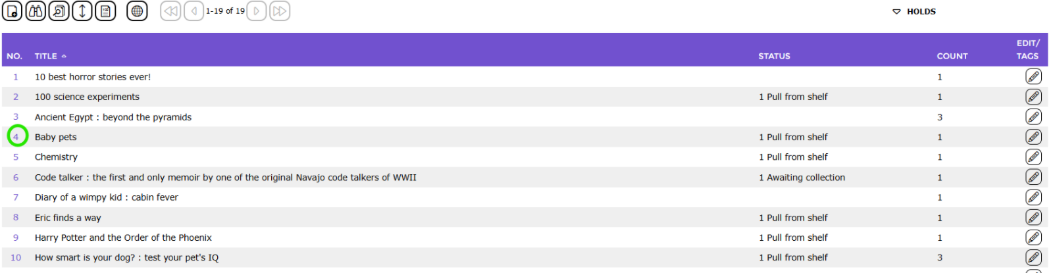
TIP: A list of all holds currently placed in the system can be viewed by navigating to the Circulation > Holds list
Access the Detail screen of any of the titles listed to identify the patrons who have placed a request on them by clicking on the number to the left of each title.
Was this article helpful?
That’s Great!
Thank you for your feedback
Sorry! We couldn't be helpful
Thank you for your feedback
Feedback sent
We appreciate your effort and will try to fix the article