Summary
The Exchange feature enables staff to change some settings on copies and patron records in bulk. A search for the requisite copies must first be completed.
Separate guides provide the steps required to complete an Exchange process on patron and on copy records.
Overview of the Exchange Screen
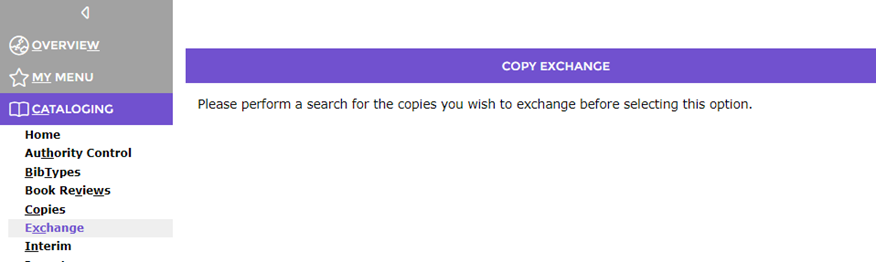
The Exchange screen is accessed via Cataloging and Circulation. Staff should first complete a search for the relevant copies or patron records.
If a search has not been completed a message will display in the Exchange screen indicating one must be done.
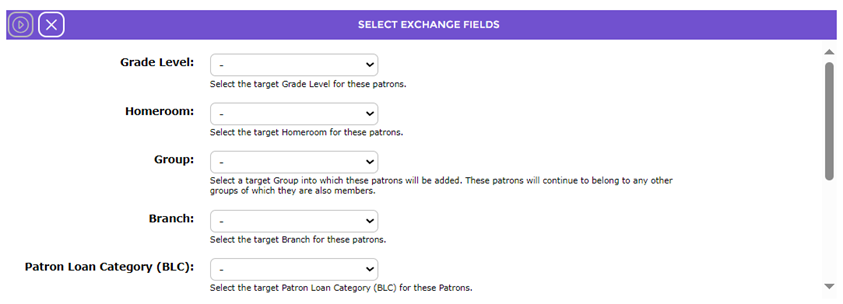
Once a search for the applicable rrecords has been completed, and the staff member accesses the Exchange screen the fields on which changes can be made will display.
The fields available to change on the patron records (seen in the above screen this example) are:
- Grade Level
- Homeroom
- Group
- Branch
- Patron Loan Category (PLC)
- User Role
And
- Text Hire
- Allow Book Reviews
- Teachers’s Library Portal access
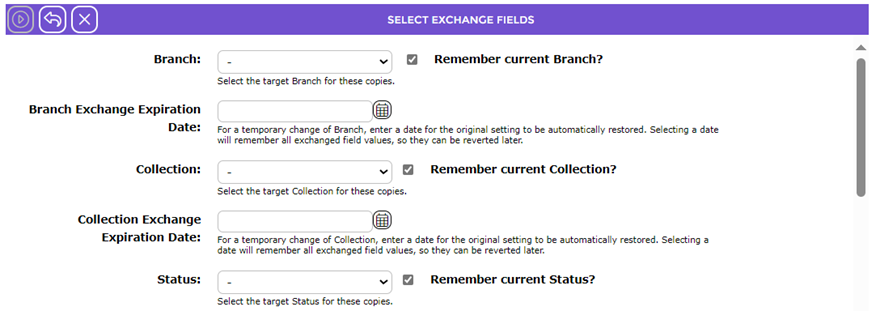
In the case of copy records, the fields that are available for change are:
- Branch
- Branch Exchange Expiration Date
- Collection
- Collection Exchange Expiration Date
- Status
- Status Reason
- Resource Loan Category
- RLC Exchange Expiration Date
The copy Exchange screen includes a Remember checkbox and an Expiration Change Date field for each exchange option. These are not available in the patrons Exchange screen
The Exchange screen lists the first four of the records, on which the change/s will be made, and a link to all applicable records is available. Clicking the link returns the user to the results list. The number of records noted should match the number of records returned from the search.
Was this article helpful?
That’s Great!
Thank you for your feedback
Sorry! We couldn't be helpful
Thank you for your feedback
Feedback sent
We appreciate your effort and will try to fix the article