Summary
Bulk changes (an Exchange process) can be made to specific information on patron records via the Circulation> Exchange option. Exchangeable fields on Patron records include:
- Grade Level
- Homeroom
- Branch
- Patron Loan Category
- User Role
- Text Hire
This guide will provide the steps required to exchange a value currently selected on a list of patron records to another value.
Complete an Exchange Process of a List of Patrons
An Exchange process can be completed if, for example, branch name has been changed, or a new Patron Loan Category has been created which is to be selected for a number of existing patrons. This process removes the need to make the change on each individual record.
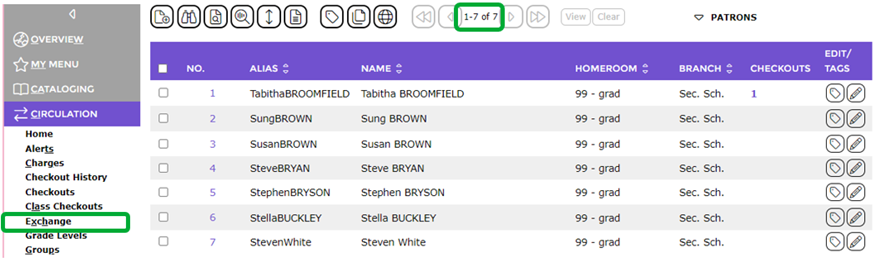
- Complete a search for the applicable list of patrons in the usual manner.
- Once the list of patrons is returned from the search, click on Exchange in the Circulation main option’s sub-menu list.
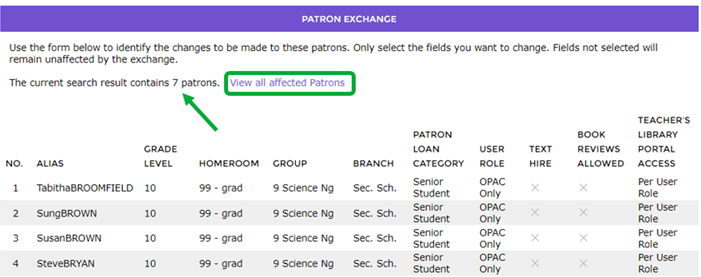
- The Exchange screen will display and the first four patrons from the List will display in the top half of the screen. You can click the View all affected patrons link to see the full list again if you wish.
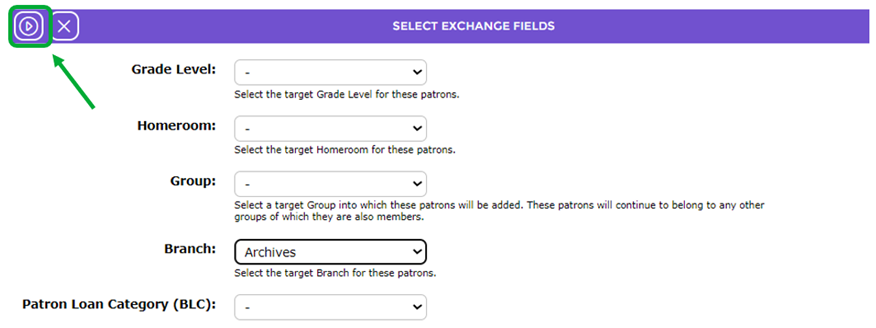
Note that the Start icon in the Select the field to be exchanged section is grayed out. It will activate when a selection has been made from one or more of the options in the section.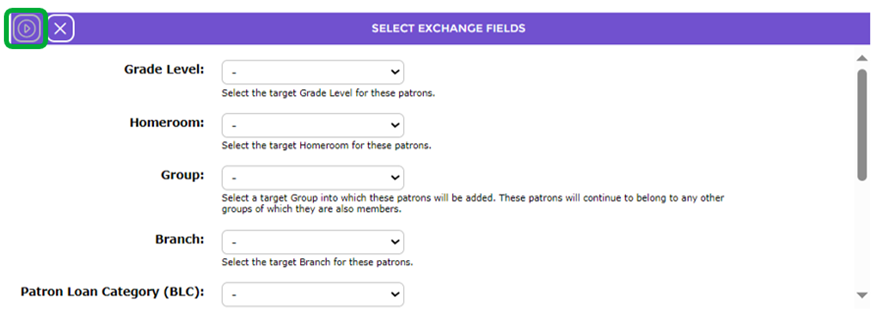
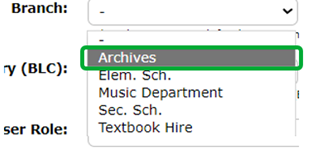
- Click on the down arrow at the end of the Branch field and click on the branch required, in this example, Archives.
- Click on the now active Start icon.
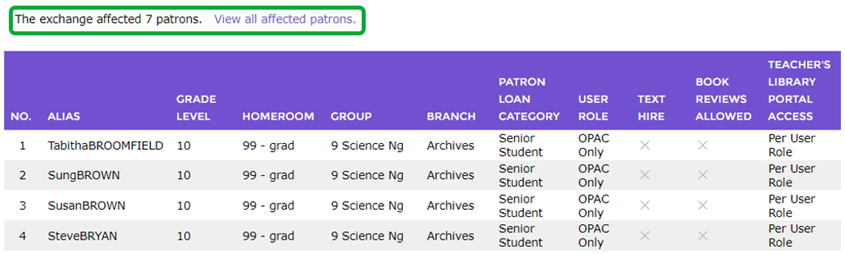
- The Exchange screen will refresh and the first four patrons on which the exchange was completed will display.
- A message “The exchange affected xx patrons” will display to the left of the View… link. The number should match the list of patrons.
Was this article helpful?
That’s Great!
Thank you for your feedback
Sorry! We couldn't be helpful
Thank you for your feedback
Feedback sent
We appreciate your effort and will try to fix the article