Summary
This guide provides an overview of Genres. See the Overview of Authorities guide for general information.
Genres, included in imported MARC records will be added to the Genres Authority file. A Genres authority file can be obtained from third party providers and imported via the Management > Import screen. Staff can also add their own “custom” genre authorities if applicable.
What are Genres
While Subject authority terms are generally assigned to describe the content of a work, Genre authority terms are a description of what an item is, not what it is about. So, a cataloged resource that is a horror film, would have a Genre of Horror films because the movie is a horror film not about a horror film. Examples of Genres are Thrillers, Fantasy, Romance, or Science fiction.
Note: Imported and/or manually added MARC data can contain a sub-division of the Genre (MARC 655 tag) which is called Form (MARC Subfield $v). While Genre and Form are generally “grouped” as a term, Form is used to define the characteristic of a work, for example, a film is short or an animation.
Accessing the Genres Authority File
- Navigate to Cataloging>Authority Control and from the Function menu click on Open Genres.
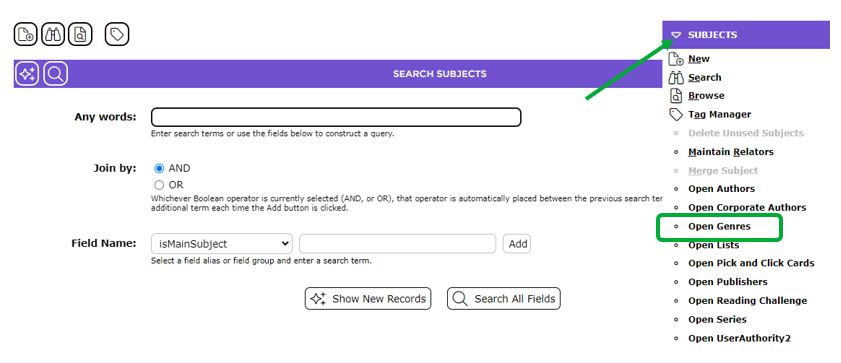
- This brings you to the Search Genres screen. Click the Search icon button to see the Genres List screen.
- The Genres List screen, with any existing Genres, will display. You may currently have no Genres until MARC records with Genre authorities are imported and/or until custom Genres are created.
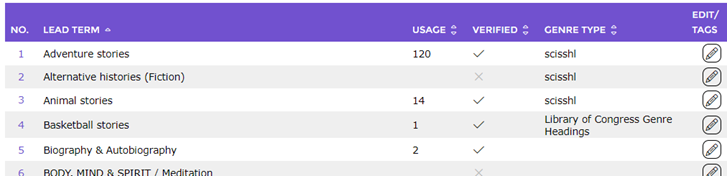
Genres Authority List Screen
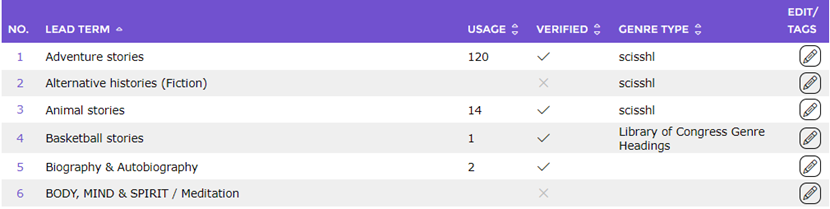
The List screen of Genres as with any Authority file contains columns that provide the following information:
- The Lead Term
- Usage – the number corresponding to each Lead term in the Usage column identifies how many resource records in the catalog include the term. If the cell is blank the term is currently not included on any resource record and can be deleted
- Verified – in the column corresponding to each Lead Term, a grayed out Cross symbol indicates the term is not verified; an active Check symbol identifies that it is. If you are importing full or updated Authority files, the authorities can be verified on import
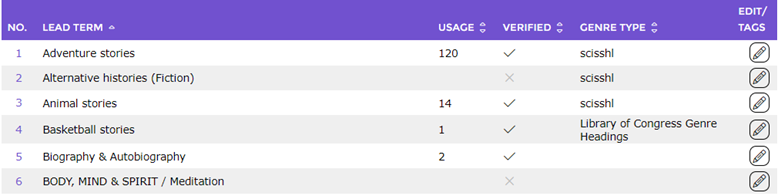
- Genre Type – this column identifies the Genre Type, that is, whether the Genre is an LoC (Library of Congress), SCIS or custom Genre.
The List screen includes two links:
- The blue numbers indicate what place the term is on the results list. It is a link that, when clicked, will take the staff member to the Detail screen of the genre term.
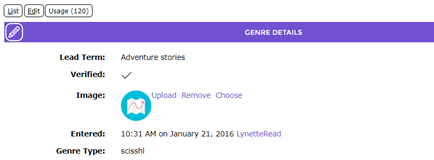
- The Edit icon at the end of each term listed is a link which, when clicked, takes the staff member to the Edit screen of the Genre term.
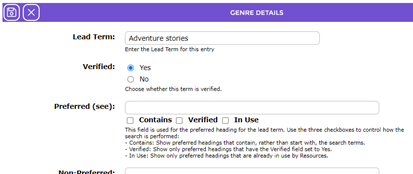
Genres Authority Search Screen
A limit on the maximum number of results returned from a search or browse process is determined by the value set on Parameter No. 1200 Maximum List Size, which applies to any List screen throughout the system.
The Genres Search screen is the same as the Search screen for other authorities and searches are done in the same way. The only difference is the field options of genreType and relatedGenres in the Field Names field’s drop down list on which a search can be conducted.
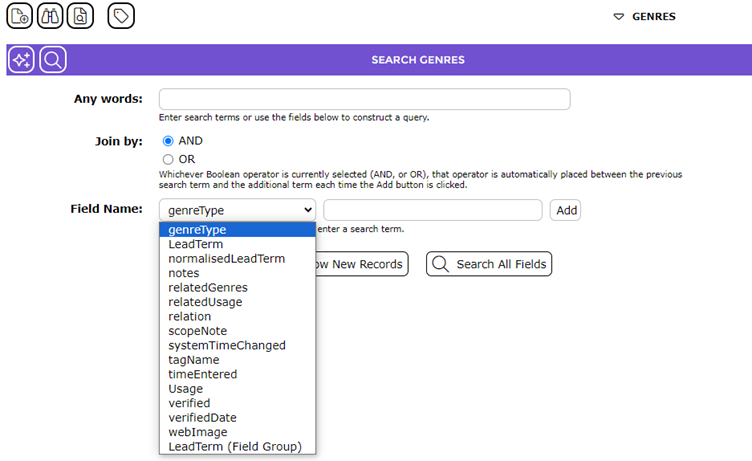
Genre Authority Add/Edit Screen
The following table describes fields in Genre Authority Control records while the cross-reference fields are covered in the next table. This guide presumes the reader has Cataloging experience and understands what is a preferred versus non-preferred term for example.
Field |
Description |
Lead Term | The Lead term is used to store the genre authority term. If MARC authority records are imported or a MARC record with a genre authority term is imported via a file or Z-Cataloging the term will automatically display in this field.
|
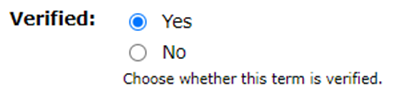
Verified | Imported MARC Authority files can be verified at the point of import. Any MARC records imported via Z-Cataloging, for example, will have to be verified via the authority’s Edit screen by clicking in the radio button next to Yes in the Verified field.
|
Scope Note | This box includes rich text format options and is used to enter a scope definition of the term.
|
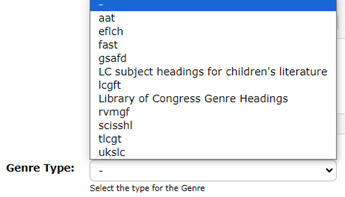
Genre Type
| This field consists of a drop-down list of types available for selection.
|

Cross Reference Terms
Cross reference terms direct Users to other terms, such as Preferred or Related terms. When new cross-reference terms are added to an authority term, the system automatically creates a separate authority record for the cross reference. The following table identifies cross references and provides a brief explanation for each:
Cross Reference |
Explanation |
Preferred (see) | Preferred terms are the correct terms for non-preferred terms. An example of a Preferred term could be Horror films.
|
Non-Preferred
| The non-preferred term for Horror films could be Horror movies.
|
Abbreviation | These terms are a shortened version of another lead term (cross referenced to Abbreviation for).
|
Abbreviation for | These terms are the full version of an abbreviated term. For example, I.T. is the abbreviation of Information Technology.
|
Language Equivalent | Language equivalents are used to direct staff user to another Language equivalent term. For example, Good Morning has a language equivalent of Bon Jor.
|
Related (see also) | Related terms are used to direct users to preferred terms for example, Films, Horror USE Horror Films.
|
Broader | Broader terms are used to direct staff users to more general terms (cross-referenced to Narrower terms). For example, Motion pictures could be the broader term for Horror films.
|
Narrower | Narrow terms are used to direct staff to a more specific term (cross-referenced to Broader terms). For example, Horror films could have a narrow term of Slasher films.
|





MARC Record with Genre Tag, Subfields and Data
Genre headings, if applicable, are found on the 655 MARC tag and relevant subfields in MARC records.
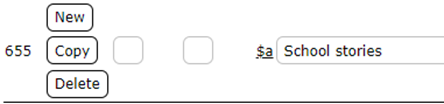
Any Genres included in imported MARC records are automatically included in the Genres Authority File, if the term does not already exist, in the same way the system processes other authority terms.
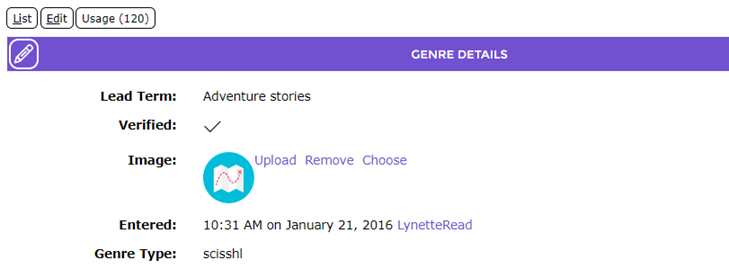
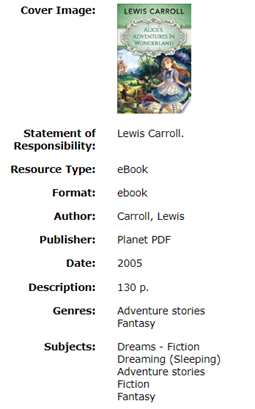
If the Genre already exists, the usage number in the Genres List and Genre’s Detail screen will increment accordingly. The Genre(s) will display on the applicable resource Detail screens in the same way as any other authority term.
List Screen:
Detail Screen:
Resource Detail Record With a Genre:
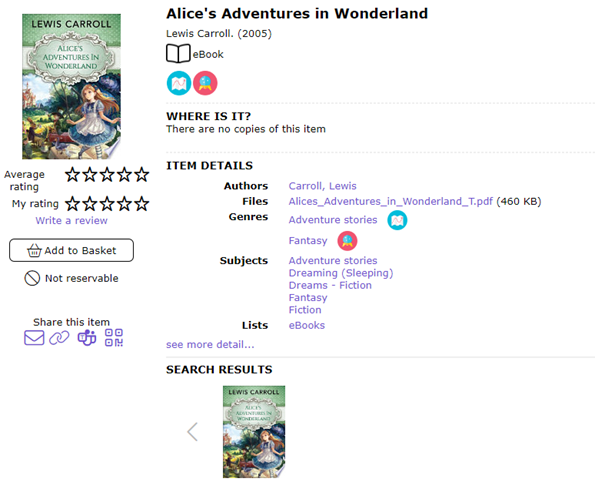
Detail Screen of Resource, with a Genre, Viewed in the Search Interface:
Was this article helpful?
That’s Great!
Thank you for your feedback
Sorry! We couldn't be helpful
Thank you for your feedback
Feedback sent
We appreciate your effort and will try to fix the article