This guide explains the various methods of searching for genre resources in MackinVision.
Basic Search (Word Search)
Below the Basic Search box is a selection of field options which can assist to narrow down the Search result. Using the Word search field option will search all of the indexed catalog fields.
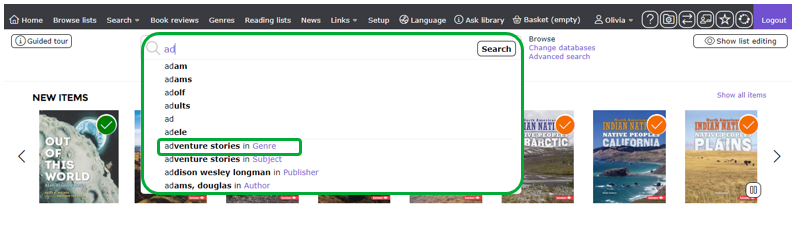
Start typing into the Search box and a genre result may be returned in the drop down predictive list.

Basic Search (Genre Search)
- Select Genre from the field options below the Basic Search box.

2. Start typing into the Search box. Only genre results will be returned when searching using the Genre field option.

3. Select a genre from the drop down list to see all results linked to that genre.
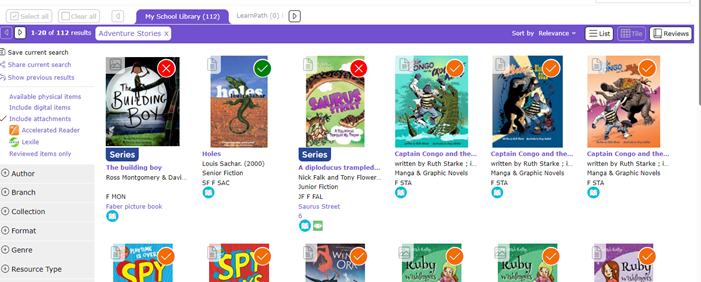
4. Genre images make it easy to identify which genres are associated with a resource. You may notice that some resources are linked to more than one genre.
The genre image is clickable and will display all items of that genre.
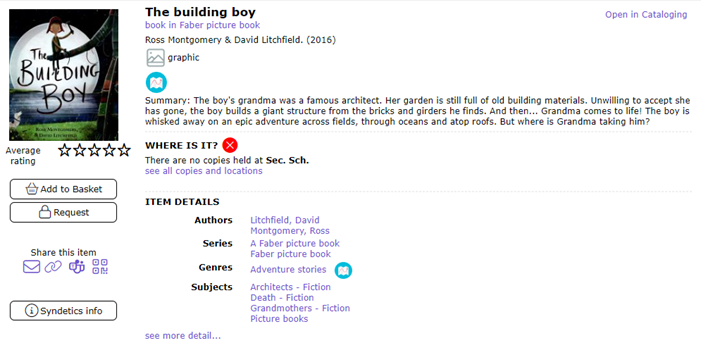
Clicking on the resource title or resource image shows more detail. From here you see all the genres linked to that resource.
Advanced Search
The Advanced Search page can be accessed by clicking on the link to the right of the Search box.
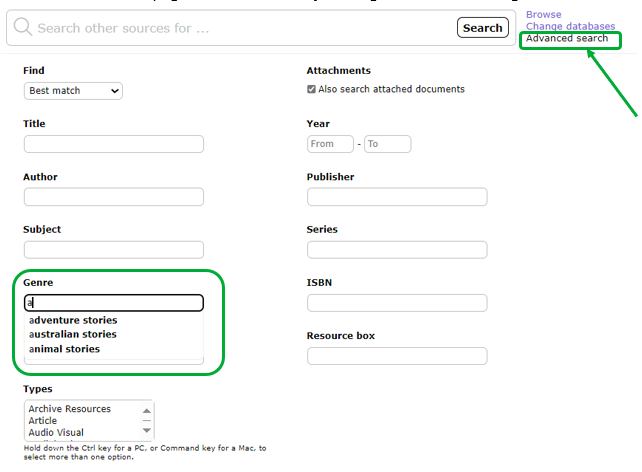
Advanced Search allows you to combine several search terms together to refine the results returned so they include the most relevant items. For example, you might wish to search by both Genre and Resource Type or Genre and Year of publication.
Was this article helpful?
That’s Great!
Thank you for your feedback
Sorry! We couldn't be helpful
Thank you for your feedback
Feedback sent
We appreciate your effort and will try to fix the article