Summary
This guide explains the various options available to you when selecting genre headings for your library.
You can create your own genre headings or use the genre headings that have been added by default to MackinVision.
Create your own Genre Headings
Library staff can create their own genres to suit the specific needs of your library.
To create your own genres:
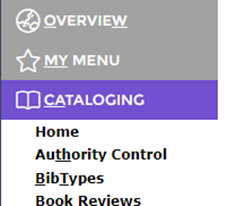
1. Navigate to Cataloging > Authority Control.
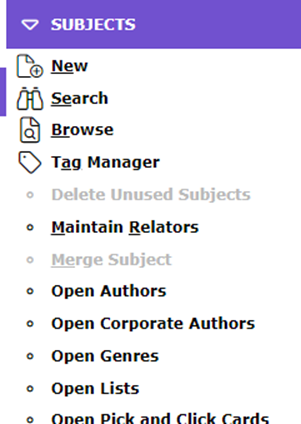
2. Select Open Genres from the drop-down menu on the right-hand side.
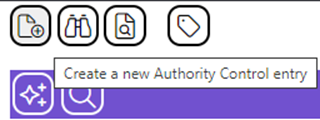
3. Click ‘Create a new authority control entry’.
If you choose to create your own genres you will need to add the genre headings manually to the genre field during your cataloging process.
Genre Headings from Z39.50 Resources
External cataloging resources (Z39.50 databases) may assign genre headings to fiction resources. Multiple genres may be assigned to a single cataloging record.
If you import your cataloging records from a Z39.50 database, then their genre headings will automatically be populated into the genre field of your cataloging record.

The following are Mackin fiction genre headings, as examples:
|
|
|
|
|
|
|
|
|
|
|
|
|
|
|
|
Additional Genre Headings
The following additional genre headings can be added to MackinVision:
- Comics
- Graphic novels
- Manga
- Picture books
If you choose to use these genres you will need to add them manually to the genre field during your cataloging process.
Was this article helpful?
That’s Great!
Thank you for your feedback
Sorry! We couldn't be helpful
Thank you for your feedback
Feedback sent
We appreciate your effort and will try to fix the article