Summary
The MARC Editor screen contains all the tags, subfields, and data relating to MARC records imported into the system. Cataloging staff would use this screen to edit existing MARC records or creating MARC21 records. Tags and subfields can be “stripped” during the MARC file import process, so they are not included in the records when imported.
This guide provides an overview of the MARC Editor screen.
Leader
The Leader and fixed fields display at the top of the Editor screen. The fields automatically populate when a record is imported or can be populated if Cataloging staff create MARC records.
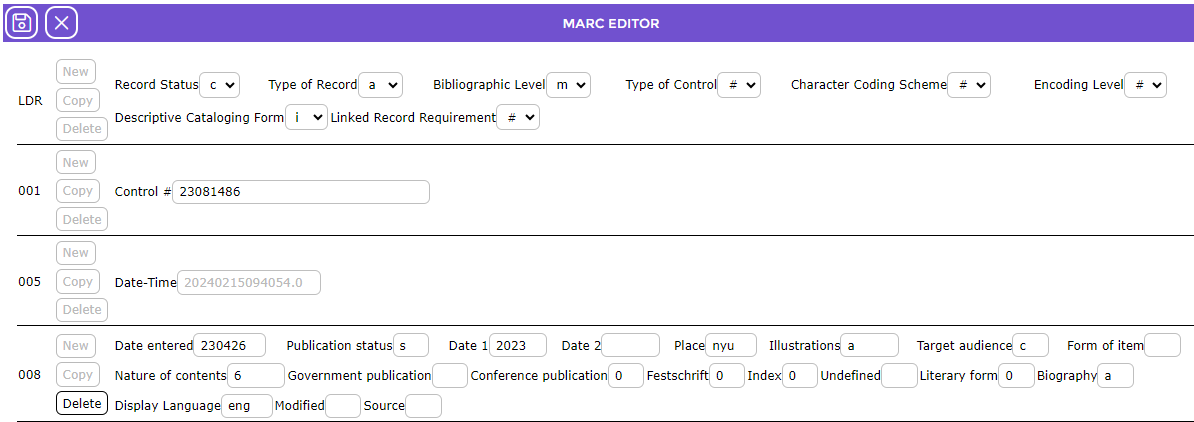
The Leader (LDR) is a fixed field that consists of the MARC record’s first 24-character positions (00-23) and provides information for processing the record. All MARC records must include an LDR. Clicking on the drop-down arrow of any field will produce a list of codes or types from which the staff member can choose. The LDR tag automatically populates when a MARC record is imported. Catalogers should complete the LDR if creating their own MARC record.

Fixed Fields
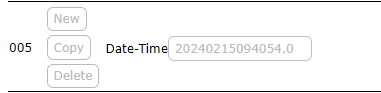
The 005 tag, if included, consists of 16 characters that indicate the date and time of the latest record transaction. Any updates completed and saved after the MARC record was imported (or created manually) are reflected in the 005 MARC tag string. Note that once the field is populated the New, Copy, and Delete buttons are greyed out.
The 008 tag contains coded information about the remainder of the MARC record. This tag, which is mandatory, contains 40 character positions numbered from 00 to 39. Each of the codes is used to determine how records are retrieved, and search results sorted, as well as how the data is managed. All MARC records must contain a 008 tag.

MARC Editor Functions
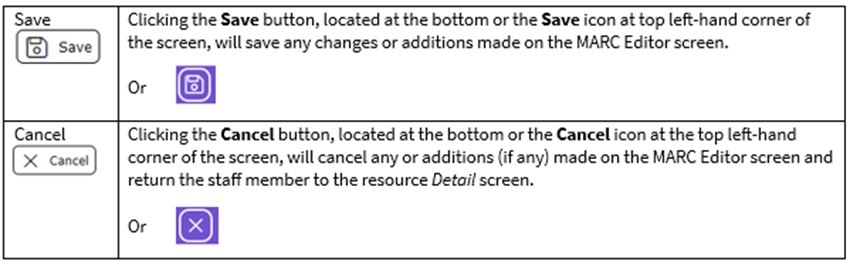
Whether the MARC records are imported or created “in house”, it is the MARC Editor screen in which the applicable tag, subfields, and related information, is stored. Cataloging staff can edit or add tags and subfields. Imported MARC records are automatically saved while MARC tag, subfields and related data, added by Catalogers, must be manually saved. A corresponding resource record is created whenever a MARC record is imported or manually created and saved.
The details, such as Author, Subject, and Notes etc., included on the resource (bibliographic) records resulting from an imported or manually created MARC record, must be edited in the MARC Editor screen not the resource record.
Functions and Fields in the MARC Editor Screen
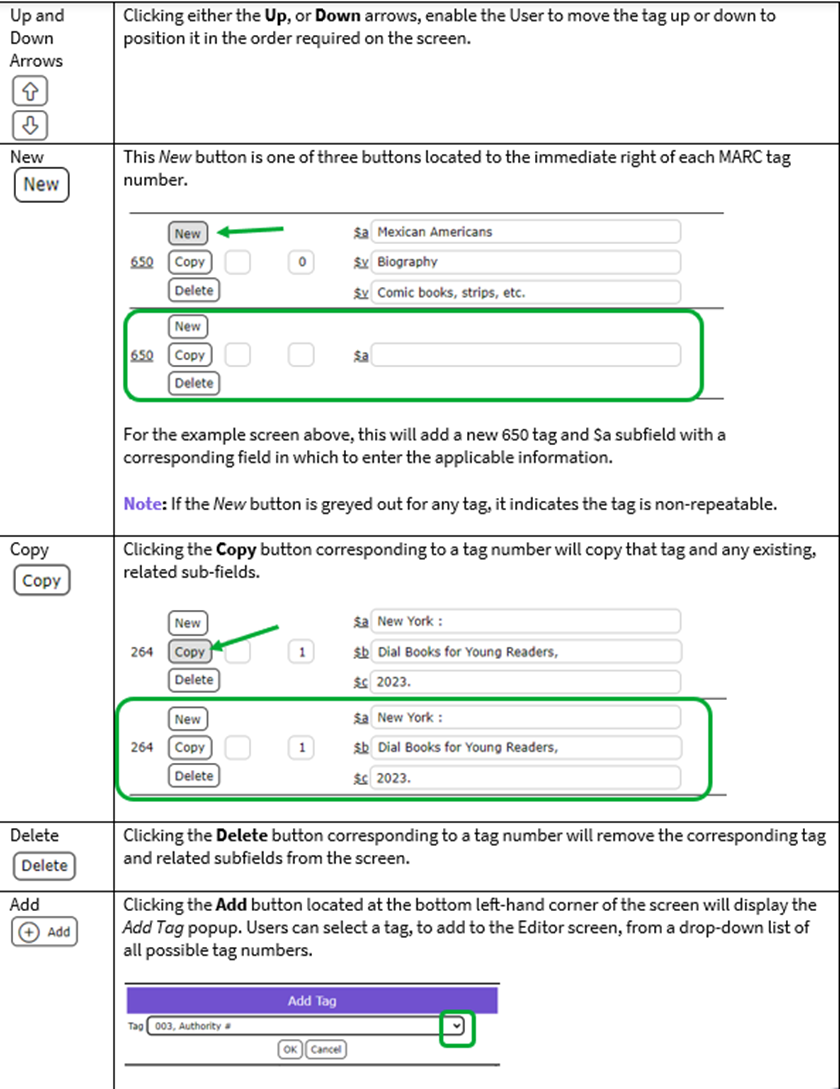
The following table identifies the function buttons and a description corresponding to the numbered elements added to the above screen example: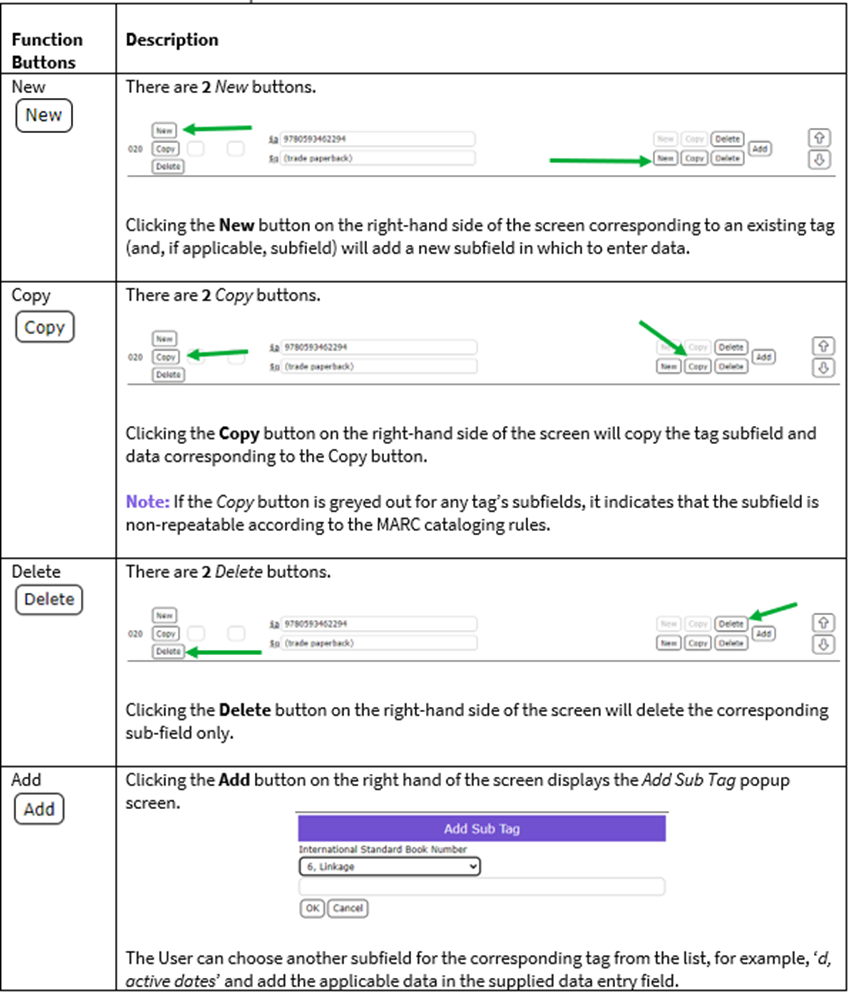
Was this article helpful?
That’s Great!
Thank you for your feedback
Sorry! We couldn't be helpful
Thank you for your feedback
Feedback sent
We appreciate your effort and will try to fix the article