Summary
MARC21 records can be imported, manually added, exported, and edited. When the MARC Cataloging feature is enabled, the MARC Editor screen, is provided for the adding or editing of MARC records.
MARC Cataloging
MARC records evolved to enable a computer to read and interpret data in a resource record with library management systems indexing that data to enable resource records, held in the library catalog, that match a search term or phrase entry to be found and listed.
While the system provides resource Add and Edit screens in which to add commonly required information, such as author/s, title, subject headings, call number or call numbers on catalog (bibliographic) records, it also supports the creation, importing of and editing of MARC records (and more recently RDA elements). Qualified staff can add a significant number of additional pieces of bibliographic information using MARC tag numbers and associated sub-fields when creating or editing imported MARC records.
MARC cataloging increases the opportunities for patrons to search for, for example, a main series name rather than a specific title within a series, or search for a piece of music performed by a specific orchestra and conductor.
MARC Editor Screen
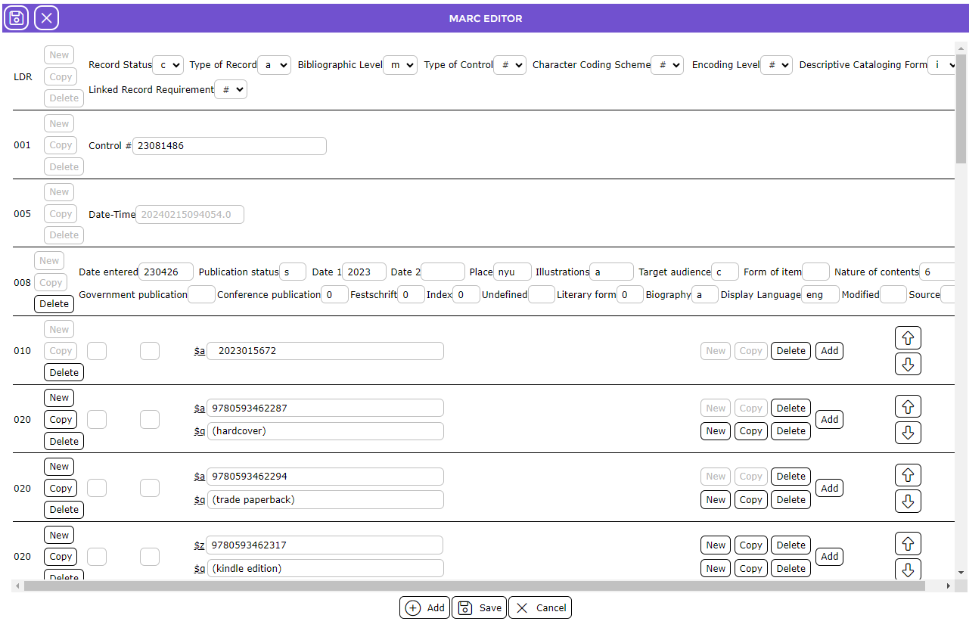
MARC21 records can be imported, exported, manually added and edited. When the MARC Cataloging feature is enabled, the MARC Editor screen, is provided for the adding or editing of MARC records. When importing MARC records the MARC Editor screen with automatically display and is populated with the resource information in the included MARC tags and subfields.

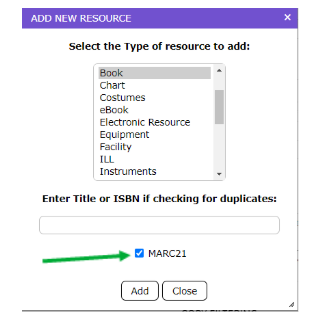
If staff are to manually create MARC records, the Editor screen will automatically display if the MARC21 checkbox, in the Add New Resource popup screen, included a check.
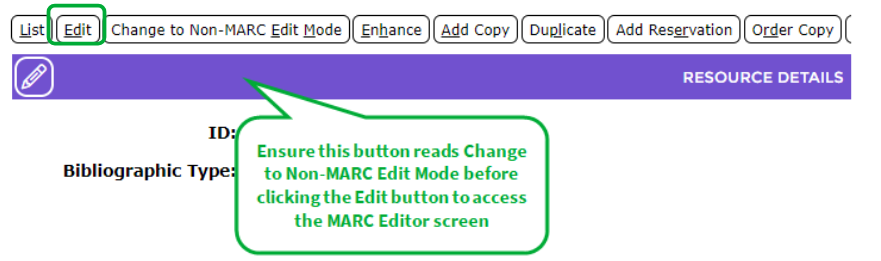
The MARC Editor screen can also be accessed via the resource Detail screen.
While your catalog can contain both non-MARC and MARC records, it is recommended that each resource record be created and updated using one cataloging method, that is, via the MARC Editor screen or the standard cataloging interface.
Note: The standard cataloging interface refers to the method where resource data is entered via the Resources > Add screen to create a resource record. Using the Add screen creates a Bibliographic record without a corresponding MARC record whilst creating or importing a MARC record automatically creates a corresponding resource record.
Data entered via the MARC Editor screen and saved will automatically create a bibliographic record (standard Cataloging interface). Any changes to bibliographic record data created from a MARC record should be done in the MARC Editor screen. Any changes to such records made via the Resources > Edit screen are not included in the MARC Editor screen and will not be reflected if those MARC records are exported. However, the change is reflected in the Search interface and Catalog List screens.
BibType settings are not completely enforced with MARC records. While the usage settings, such as Serials and Copies are enforced, the list of fields for the Add, Detail and Edit screens are not affected by those settings.
The MARC Editor screen prevents the manual addition or updating of the 005 tag. It also enforces rules relating to subfields that are repeatable or non-repeatable. For example, it prevents the addition of multiple 1xx tags and subfields to a resource, as only the First Author of any resource should be entered against a 1xx tag. All other authors are entered against the 7xx tags. Author names, entered in both 1xx and 7xx authors are included in the Author Authority file.
The 336, 337 and 338 tags, among others, and all related subfields required by RDA are supported by the system.
Note: The use of the term tag used in conjunction with MARC refers specifically to MARC tags not the concept of the use of tags that can be added to resource, copy or patron records.
Leader and Fixed Fields
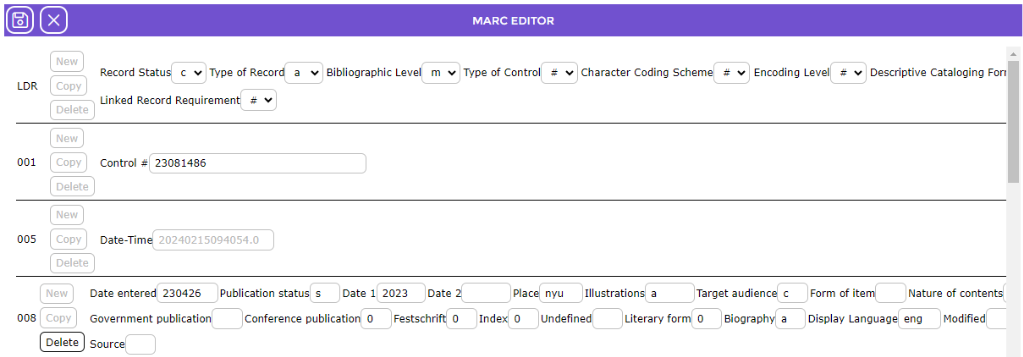
The Leader and fixed fields display at the top of the Editor screen. The fields are automatically populated when a record is imported or can be completed if your Cataloging staff are creating a MARC record.
The Leader (LDR) is a fixed field that consists of the MARC record’s first 24-character positions (00-23). It provides information for the processing of the record. All MARC records must contain a Leader. Where a drop-down list box exists, the cataloger may select the appropriate information/code for that field.
The 005 tag consists of 16 characters that indicate the date and time of the latest record transaction. Catalogers can set this new date and time to indicate the last update for the MARC record by clicking on the Update button.
The 008 tag contains coded information about the rest of the MARC record. This tag, which is a mandatory tag, contains forty character positions numbered from 00 to 39. Each of these codes can be used to determine how records are retrieved, and search results sorted, as well as how the data is managed.
In the screen example below, the Leader and fixed fields have been populated by the information contained in an imported MARC record.
TIP:
If your resources are not created from imported MARC records, but you are manually creating a MARC record, the Leader “sections” are populated by default. Cataloging staff will change the default sections as required.
Related Parameters
Parameter No. 1105 – Parameter Level. This parameter contains a drop-down list from which to select the level of MARC parameters you require. If you are using MARC records it is advised that Advanced is selected.

Note: Selecting Advanced ensures the 6100 and 6200 series of parameters are available for completion.
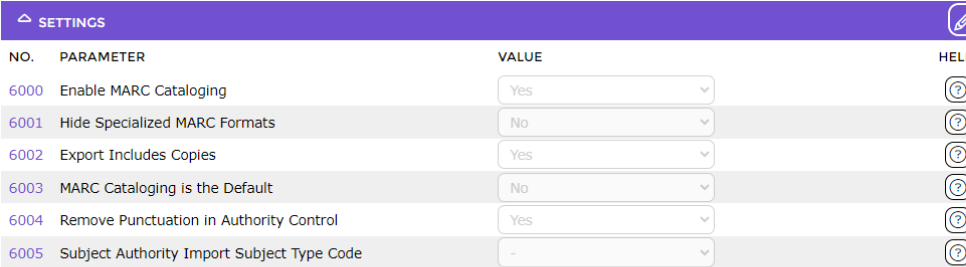
The MARC parameters are divided into four groups, Settings, Resources, Items and Export. The following is a list of the number and name of those parameters. For an explanation of these parameters, please see the Parameters Guide available in the Help Interface.
Settings:
Parameter No. 6000 – Enable MARC Cataloging
Parameter No. 6001 – Hide Specialized MARC Formats
Parameter No. 6002 – Export Includes Copies
Parameter No. 6003 – MARC Cataloging is the Default
Parameter No. 6004 – Remove Punctuation in Authority Control
Parameter No. 6005 – Subject Authority Import Subject Type Code
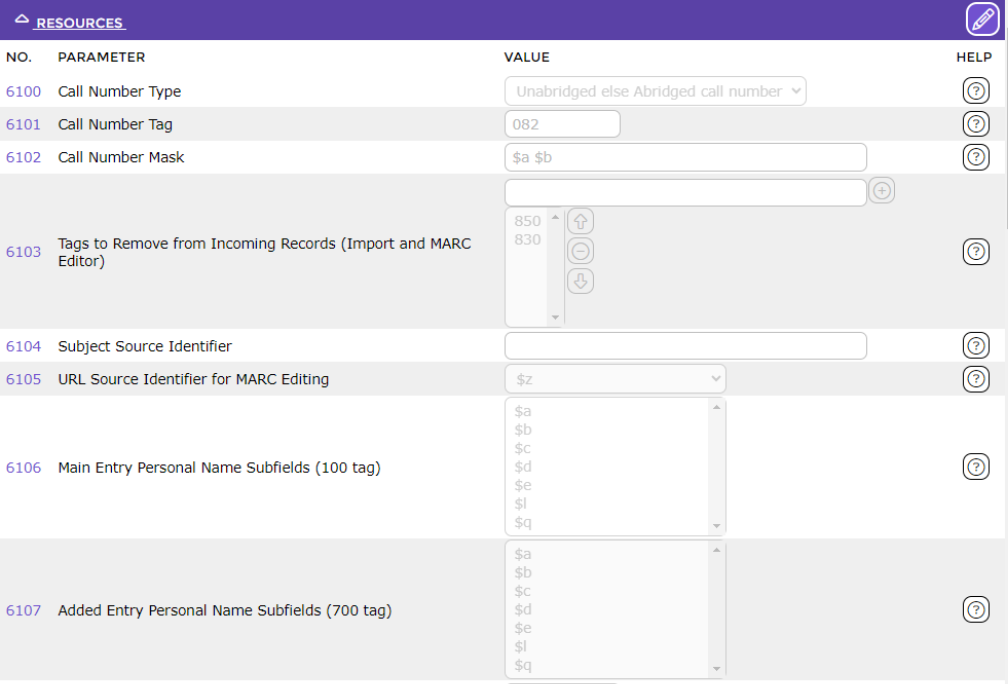
Resources:
Parameter No. 6100 – Call Number Type
Parameter No. 6101 – Call Number Tag
Parameter No. 6102 – Call Number Mask
Parameter No. 6103 – Tags to Remove from Incoming Records (Import and MARC Editor)
Parameter No. 6104 – Subject Source Identifier
Parameter No. 6105 – URL Source Identifier for MARC Editing
Parameter No. 6106 – Main Entry Personal Name Subfields (100 tag)
Parameter No. 6107 – Added Entry Personal Name Subfields (700 tag)
Note: If you are using User Fields for MARC exporting there will be corresponding tag and subfield parameters for each in this section. User fields enable you to add site specific or industry specific terms which are then indexed by the system.
Items:
If resource copy MARC records are to be imported, the parameters in this section will need to be completed.
Parameter No. 6200 – Show MARC Copy Parameters
Parameter No. 6201 – Copy Tag
Parameter No. 6202 – Item Subfield
Parameter No. 6203 – Branch Subfield
Parameter No. 6204 – Call Number Subfield
Parameter No. 6205 – Collection Subfield
Parameter No. 6206 – Cost Subfield
Parameter No. 6207 – Date Missing Subfield
Parameter No. 6208 – Date Received Subfield
Parameter No. 6209 – Accession Number Subfield
Parameter No. 6210 – Barcode Subfield
Parameter No. 6211 – Copy Number Subfield
Parameter No. 6212 – Price Subfield
Parameter No. 6213 - RLC Subfield
Parameter No. 6214 – Status Reason Subfield
Parameter No. 6215 – Status Subfield
Parameter No. 6216 – Supplier Subfield
Parameter No. 6217 – Checkout Limit Type
Parameter No. 6218 – School code prefix Subfield
Parameter No. 6219 – School code Subfield
Was this article helpful?
That’s Great!
Thank you for your feedback
Sorry! We couldn't be helpful
Thank you for your feedback
Feedback sent
We appreciate your effort and will try to fix the article