How to Access the Z-Cataloging Screen
- Navigate to Cataloging > Z-Cataloging.
- The Z-Cataloging screen will display.
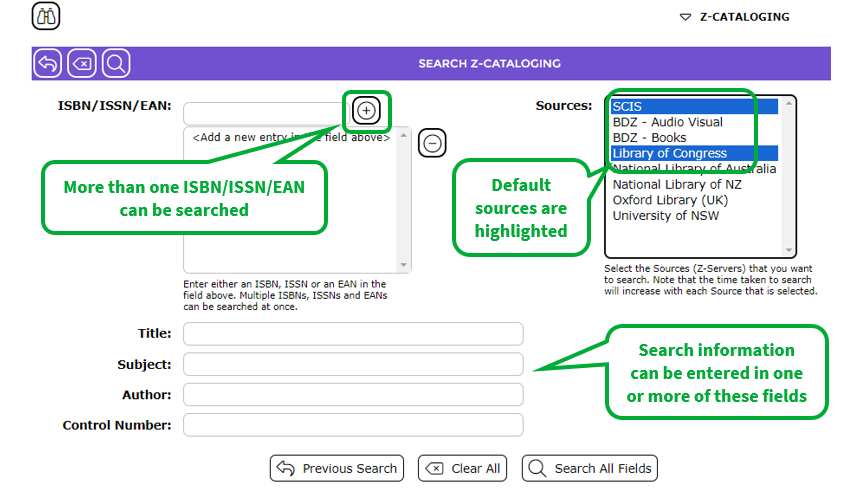 3. The sources of Library of Congress and SCIS are highlighted automatically because they are set as default sources on which to search.
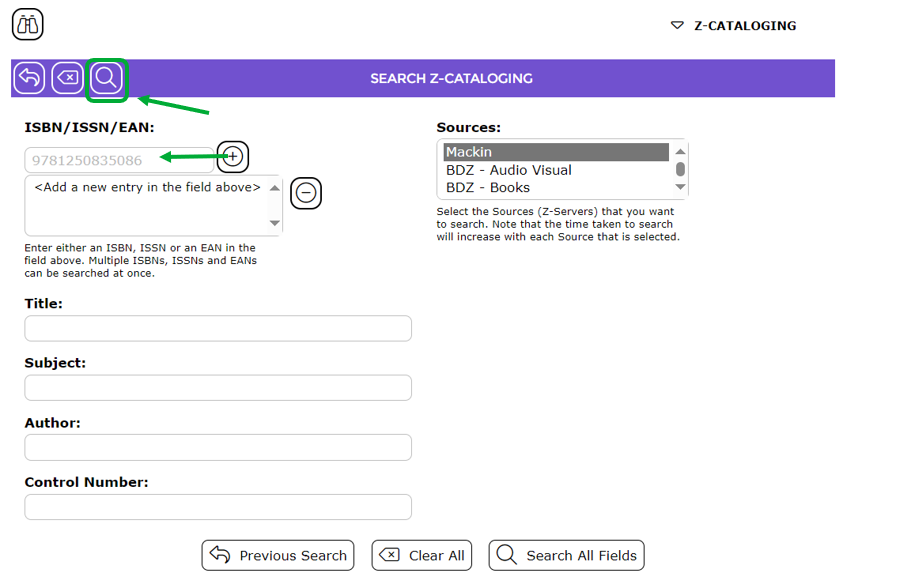
4. Enter the ISBN in the ISBN field.
5. Click on the Search icon.
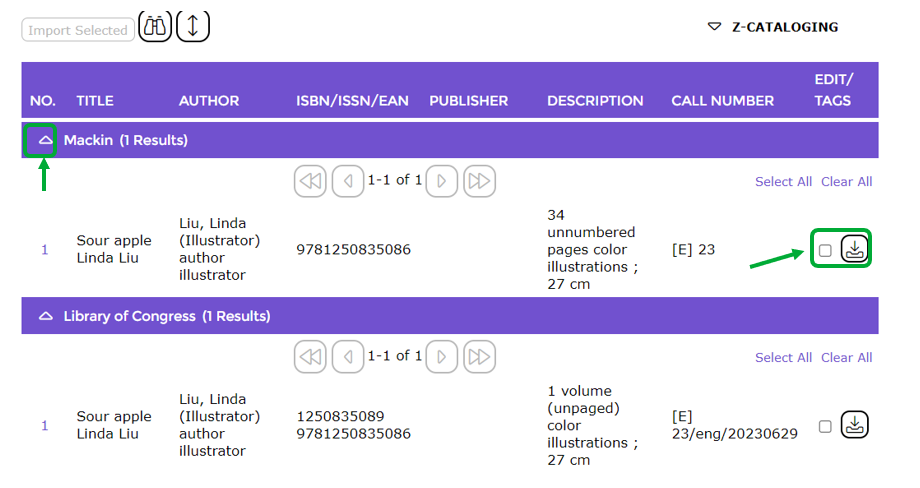 7. Click on the up facing arrow icon to collapse the results of a source to see the results from another source if necessary.
8. The results from the next source used will display.
How to Selected MARC Records and Import Them
- Click in the checkbox corresponding to the title/s you wish to import. More than one record, from more than one source, can be selected in this manner if required. Note that the Import button is now activated.
- When all titles have been selected click the Import Selected button.
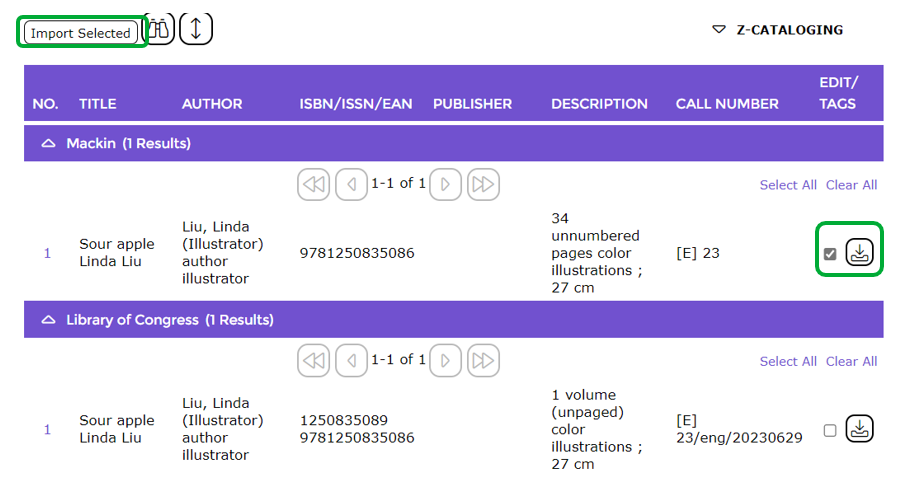
- The resource Details screen of the first of the imported MARC records, will display.
Was this article helpful?
That’s Great!
Thank you for your feedback
Sorry! We couldn't be helpful
Thank you for your feedback
Feedback sent
We appreciate your effort and will try to fix the article