Summary
Selected titles returned from a search can be viewed as a separate list.
This guide will provide the steps required to select titles from the result List and view them. Separate guides provide the steps required to complete searches and share search results.
How to View Selected Results
1. Complete a search in the usual manner.
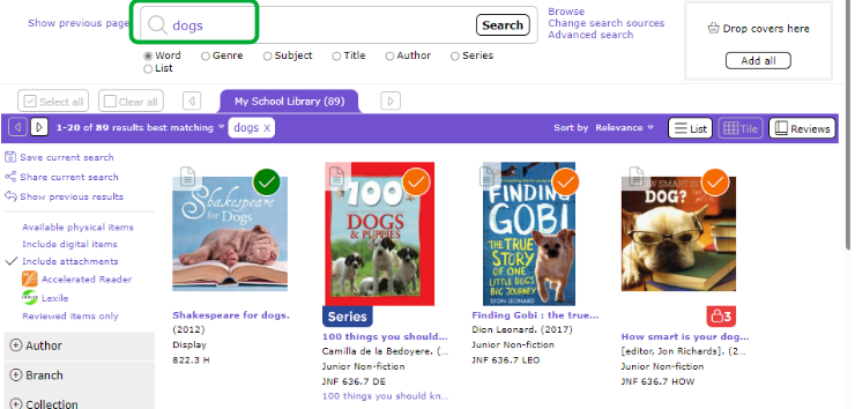
2. Drag the titles you wish to include in your list to the basket.
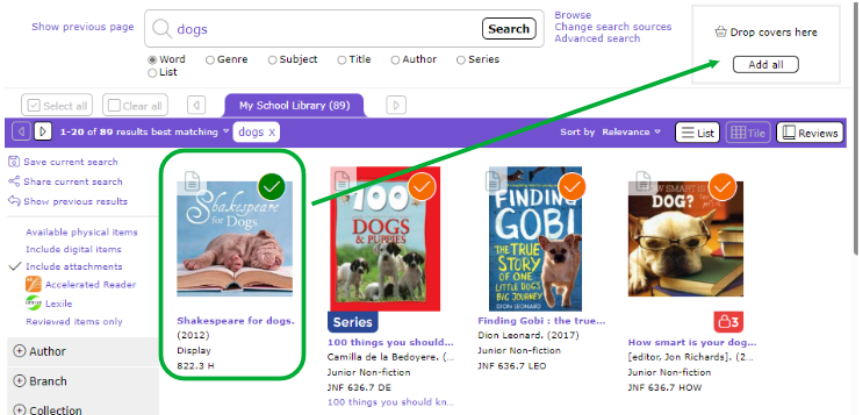
3. Once all the titles you want in your list have been dragged to the basket, the basket will list a number representing how many items are in the basket. Click on the linked number to view the list or click the Basket in the menu bar.
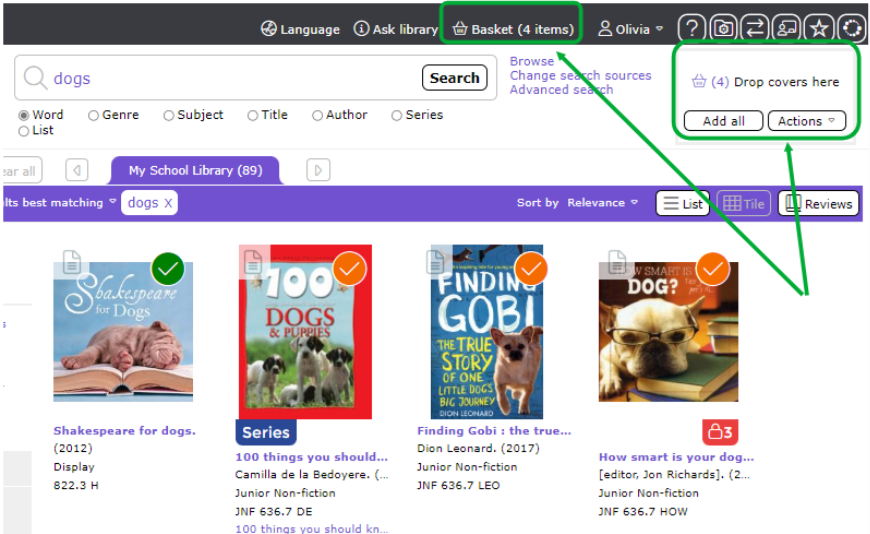
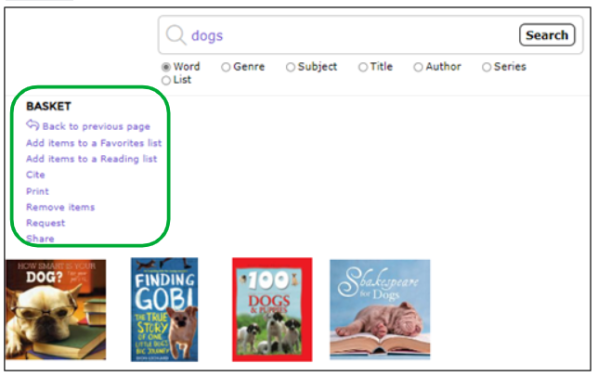
The basket will appear with a list of options:
- Add items to a Favorite List
- Add items to a Reading list
- Cite
- Remove items
- Request
- Share
Note: The link Add items to a Reading list is only available for Admin users.
Was this article helpful?
That’s Great!
Thank you for your feedback
Sorry! We couldn't be helpful
Thank you for your feedback
Feedback sent
We appreciate your effort and will try to fix the article