Summary
Creating interim resources can be useful as a way to add resources that have been the subject of a number of requests and a decision on ordering is pending, or will be ordered but has no definitive publication date and you do not want them to be located from searches in the Search interface.
Create an Interim Record
The Interim records can only be searched via the Cataloging > Interim > Search screen.
- Navigate to Cataloging > Interim > Search or (List) and click the new icon.
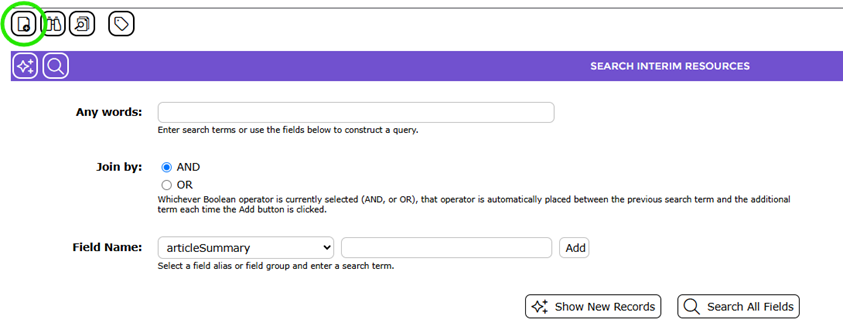
2. The Add Interim Catalog Resource popup screen will display. Click on the applicable BibType from the list-box, enter the title or ISBN in the field provided then click the Add button.
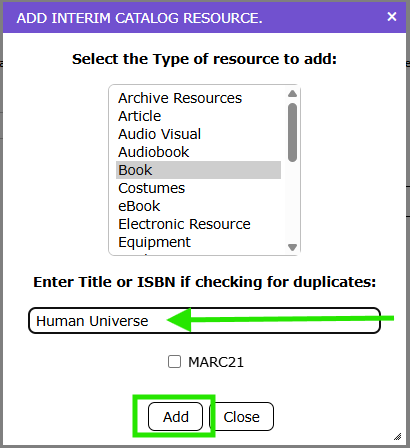
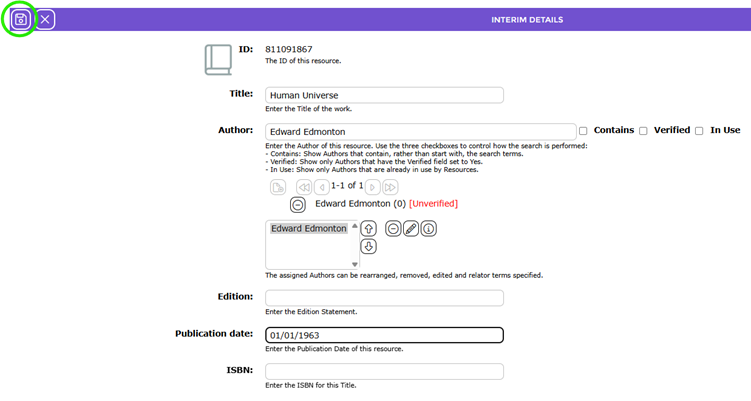
3. The Cataloging > Interim > Add screen will display. Complete as many of the Add screen fields as required in the usual manner.
4. Click the Save icon.
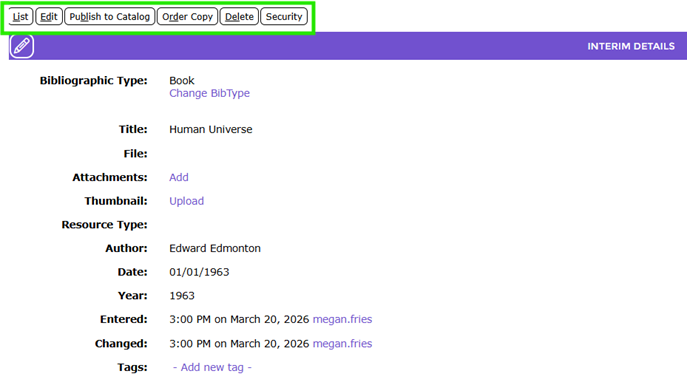
5. The interim record’s Detail screen will display.
6. The record includes some of the same function buttons as you would see in standard records, such as List, Edit, Order copy, Delete, and Security. Note that there is a Publish to Catalog button, not included in a standard resource Detail screen.
Was this article helpful?
That’s Great!
Thank you for your feedback
Sorry! We couldn't be helpful
Thank you for your feedback
Feedback sent
We appreciate your effort and will try to fix the article