Summary
There are seven system provided Patron Frequency reports enabling staff to identify patrons who are heavy or light users, what types of resources those patrons use. Data can be also grouped by, for example, Patron Loan Category (PLC), Homeroom, and Gender.
This guide provides a brief overview of the available search criteria available for selection and the reports. Separate guides provide the steps required to run different Patron Usage Reports.
Usage with Search Criteria and Most Frequent Patrons Reports
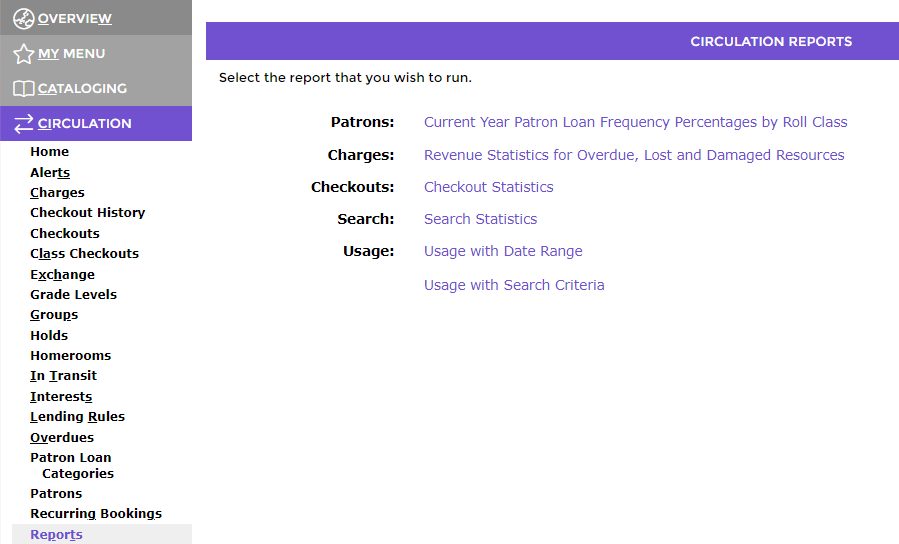
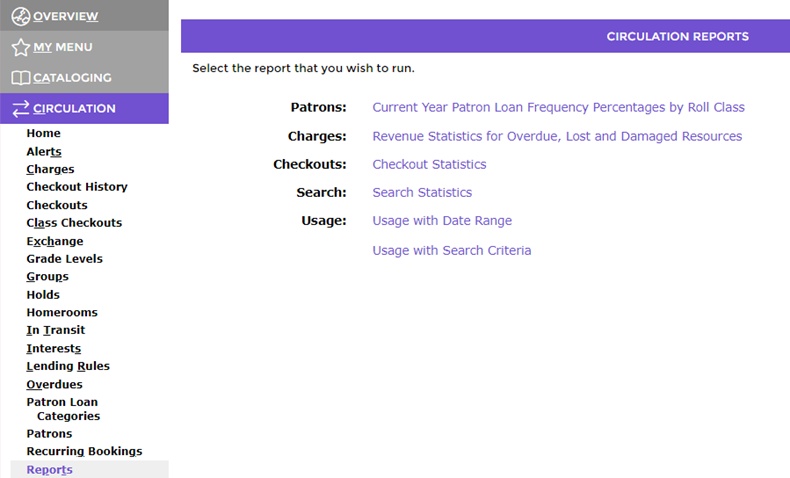
There are four sections in the Usage with Search Criteria Reports screen, each containing several search criteria specific to the section. If running any of the Most Frequent Patron reports, criteria in the Resources section would not be selected.
One or more selections from the following three sections can be used, depending on what information you want included in the applicable Most Frequent Patron report. The sections and their specific criteria are: 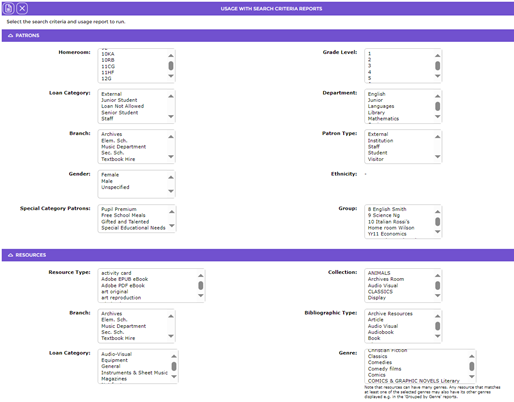
Patrons:
- Homeroom
- Loam Category
- Branch
- Gender
- Special Category Patrons
- Grade level
- Department
- Patron Type
- Ethnicity
- Group
Resources:
- Resource Type
- Branch
- Loan Category
- Subjects
- Publication Year
- Call Number
- Collection
- Bibliographic Type
- Genre
- Authors
- Date Entered
Transactions:
- Start date
- End date
Report:
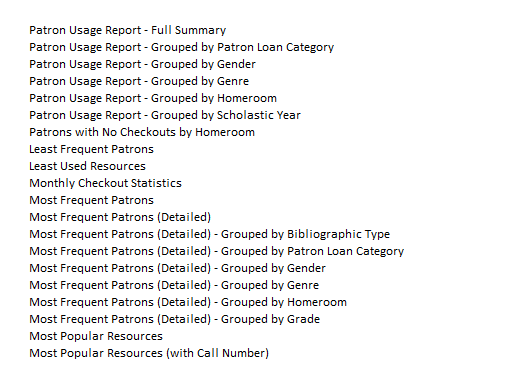
This section contains the Reports field that contains a down arrow which, when clicked, displays all available reports 7 of which are Most Frequent Patrons reports. 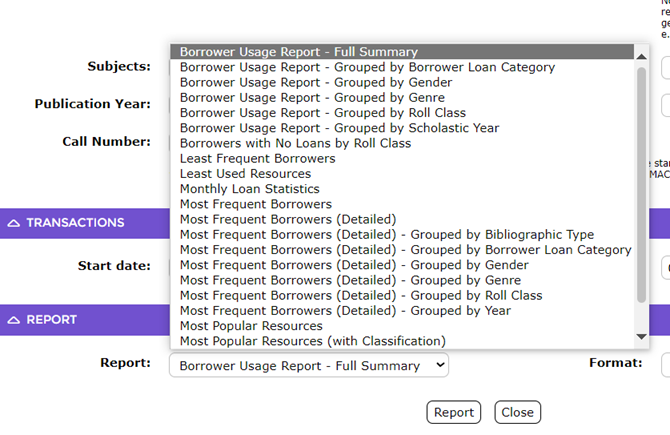
To access the available reports, click on the down arrow at the end of the Report field at the bottom of the screen:
The seven Most Frequent Patrons reports are differentiated by their “Grouped” option. The reports are:
- Most Frequent Patrons - this report lists the patrons without any grouping applied
- Most Frequent Patrons (Detailed)
- Most Frequent Patrons (Detailed – Grouped by Bibliographic Type
- Most Frequent Patrons (Detailed) – Grouped by Patron Loan Category
- Most Frequent Patrons (Detailed) – Grouped by Gender
- Most Frequent Patrons (Detailed) – Grouped by Homeroom
- Most Frequent Patrons (Detailed) – Grouped by Grade
The section also includes a Format field. Currently PDF and WORD formats are available. The reports are run in the usual manner. The detail on the report will depend on the search criteria you select and how the information is grouped.
Was this article helpful?
That’s Great!
Thank you for your feedback
Sorry! We couldn't be helpful
Thank you for your feedback
Feedback sent
We appreciate your effort and will try to fix the article