Summary
Internal patron records are a way for a branch to record all “off-shelf circulation”, that is, any materials or resources used only within the library, by scanning them against that record. This enables staff to record the usage of the library and its resources. If the library system includes several branches, an internal patron record can be created for each branch.
Creating an Internal Patron Record
An internal patron record will need to be created for each library branch that has internal usages for patrons. The steps required to create an internal patron record are the same as those required to create a standard patron record with a few specific configurations needed.
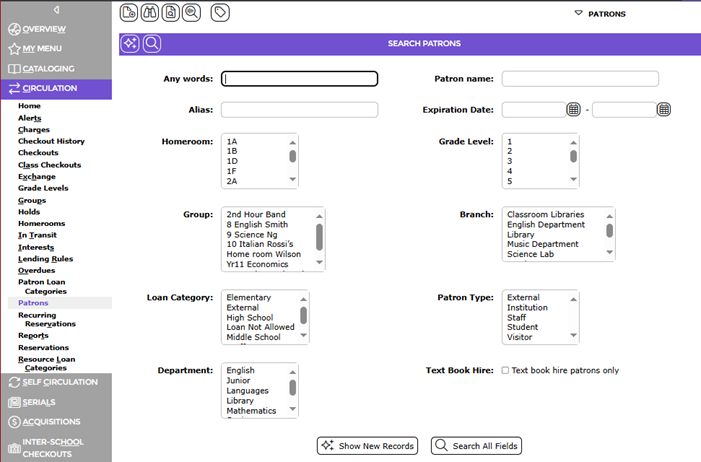
- Navigate to Circulation > Patrons
- Click the Create a new library user button in the top left
3. Enter the name of the library branch into the Alias field e.g., Main Library. An ordinary barcode may also be used (e.g., 20000 or B20000)
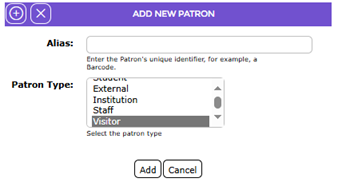
- Any option can be selected in the Patron Type
- Click the Add button
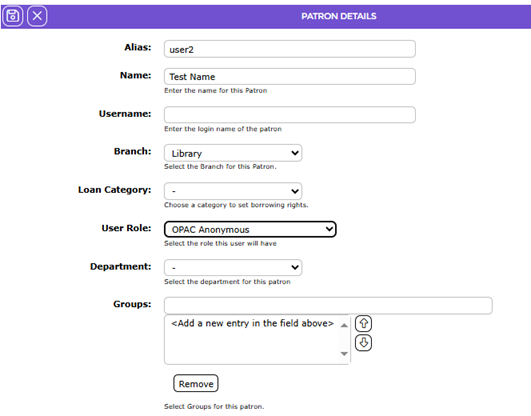
- In the Name: field it is suggested to add the library branch as the name to aid in identifying the patron record.
- In the Branch: field choose the correct Branch for this user
- In the User Role: field select the OPAC Anonymous option, as this record has few privileges
- Click the Save button in the top left
Configuring Parameters
Once all the required Internal Patron records are created, enter the patron barcode/s to the Internal Patron Alias Barcode parameter. Note that only staff with the applicable User Privileges can edit parameter settings.
1. Navigate to Management > Parameters and locate Parameter No. 3306 - Internal Library Patron Aliases.
2. Enter the barcode/s of the Internal Patron records created. If you have created multiple internal patrons, enter each patron barcode (alias) separated by a comma.

3. Click the Save button when all applicable barcodes have been entered.
Recording Resources that are Loaned Internally
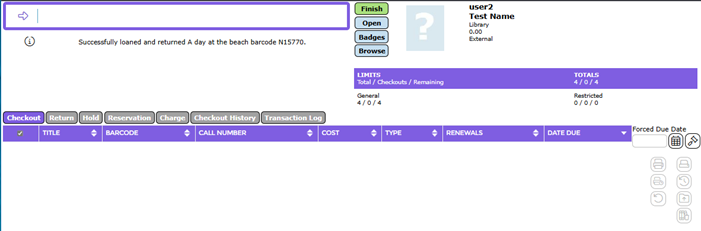
Resources used internally can then be “loaned” to the Internal Patron in the usual manner by scanning or manually entering the Internal patron barcode then scanning the barcodes of any resources that have been left on shelves, tables and chairs in the library. This effectively checkouts and returns the off-shelf items at the same time.
Completing an off-shelf checkouts process ensures the statistics reports will include the items used in the library rather than physically loaned to patrons thereby providing a more accurate reflection of usage of the library and its resources.
Was this article helpful?
That’s Great!
Thank you for your feedback
Sorry! We couldn't be helpful
Thank you for your feedback
Feedback sent
We appreciate your effort and will try to fix the article