Summary
In Search interface results List, screen any resources, which include one or more reviews, are identified by a corresponding Stars icon. Clicking on the Stars icon provides access to those reviews.
This guide will provide the steps required to access an existing review in the Search interface.
Access Existing Reviews
Logged in and Anonymous Users can access and read existing reviews.
- Search for resource in the usual manner.
- Locate a title that has a corresponding Stars icon indicating it includes one or more reviews.
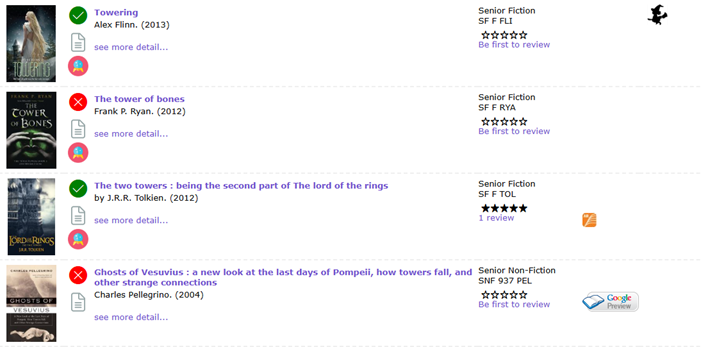
- The number of stars indicates the current rating or average of the ratings given so far.
- Click on the Review link and the Reviews screen will display enabling users to read any of the reviews created.
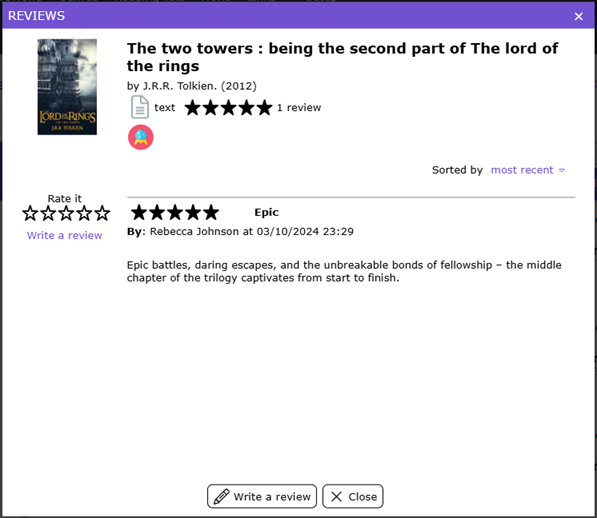
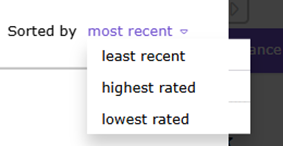
- Reviews are sortable. For example, to list the latest review first select most recent the drop-down list.
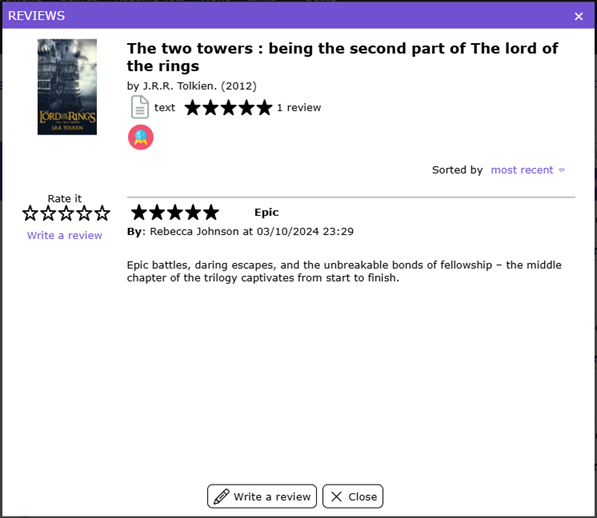
- Click on the X in the top right hand corner of the popup screen, or the Close button at the bottom right hand corner of the screen, to return to the Search interface results List screen.
Was this article helpful?
That’s Great!
Thank you for your feedback
Sorry! We couldn't be helpful
Thank you for your feedback
Feedback sent
We appreciate your effort and will try to fix the article