Summary
If more than one URL is to be included in an Information Box in the Search interface, the Text box in the Add or Edit screen is used. If only one URL is required, Link URL would be used. URLs can be entered when the Information Box is being created or added later.
This guide will provide the steps required to add more than one URL to an Information Box displaying the URL itself or replacing the URL with a preferred term or phrase that is a link to the website. A separate guide provides the steps to creating or editing an Information Box.
Enter Multiple URLs
Only logged in Users with the applicable User Privilege operations can add, edit or delete Information Boxes in the Search interface.
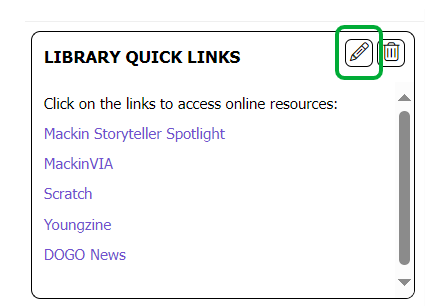
- Click on the Edit icon of the Information Box in which you want to include multiple URLs.
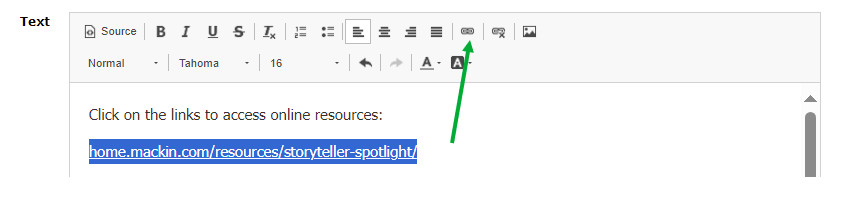
- In the resulting Edit screen, copy the additional URLs into the Text box.
- To make the URL a clickable link, highlight the URL then click on the Link icon.
- Repeat steps 2 and 3 for any additional URLs you wish to add.
Use a Preferred Term or Phrase Instead of a URL
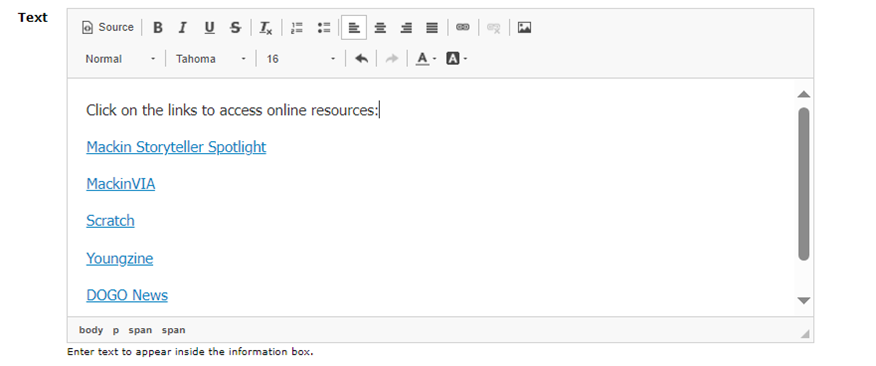
You can enter a preferred phrase or term for display in an Information Box instead of the URL.
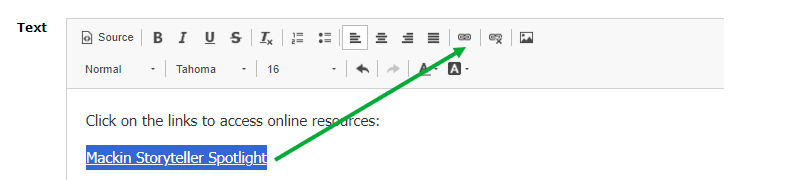
- In the Information Box Text field, enter then highlight the text you want to replace the actual URL of the website, for example, Mackin Storyteller Spotlight and click on the Link icon.
- The Link popup screen will display.
- Copy the URL you require – without the http:// section of the URL, then paste it into the URL field provided in the popup screen. Type the display text you wish to be displayed other than the URL.
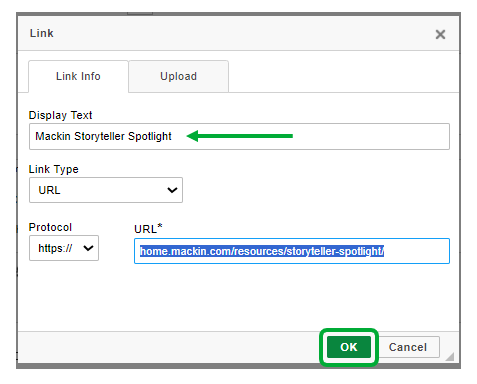
- Click on the OK button to save the details and return to the Information Box Edit screen.
- The text you entered now displays as a link.
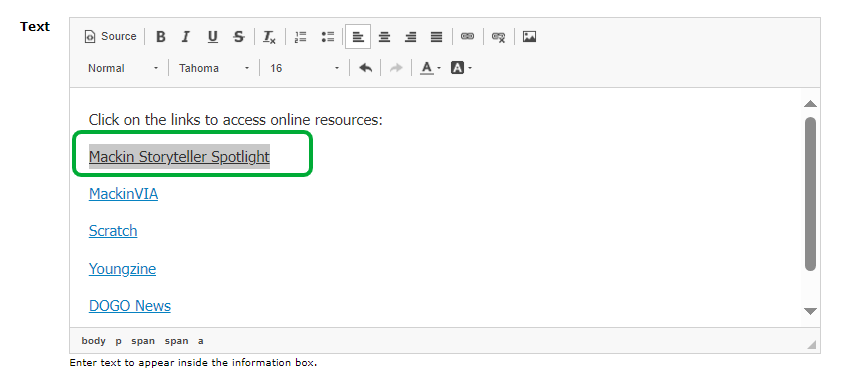
- To add further links to websites using your own preferred term or phrase rather than the URL, repeat steps 1-4.
- When all links have been included, click the Save icon to return to the library Home screen.
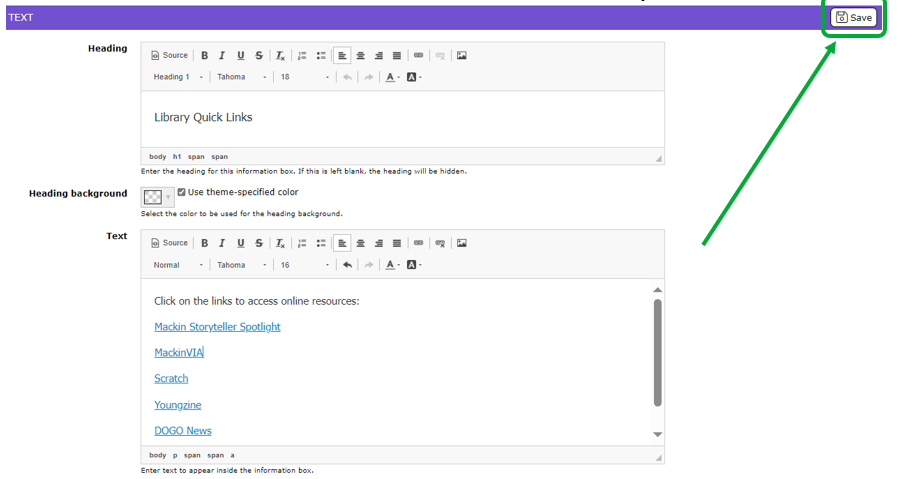
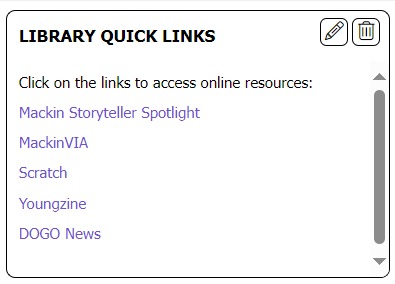
- The links in the Information Box reflect the terms you entered not the URL of the websites.
Was this article helpful?
That’s Great!
Thank you for your feedback
Sorry! We couldn't be helpful
Thank you for your feedback
Feedback sent
We appreciate your effort and will try to fix the article